

A 32-inch TV can fit a bedroom, kitchen or dorm, but compact screens still differ in resolution, smart platform and connections. This guide to the best 32-inch TVs compares those practical differences so you can match a screen to your viewing distance, streaming habits, devices and intended use.
Several models offer Full HD, while others use 720p HD. That difference matters most when you sit close or display detailed content. Smart platforms, casting support, audio outputs and gaming features may matter more if you mainly stream, connect a console or watch with headphones.

Pros
- Built-in Roku streaming platform
- Works with several voice assistants
- Includes Game Mode and parental controls
Cons
- 720p resolution offers less detail than Full HD
- Who should skip it: viewers seeking Full HD resolution

Pros
- Fire TV with Alexa voice remote
- 400+ free channels
- Apple AirPlay 2 support
- Bluetooth headphone pairing
Cons
- Who should skip it: shoppers seeking 4K resolution
Pros
- Alexa voice control through included remote
- Three HDMI ports
- Apple AirPlay support
Cons
- 1080p resolution may not suit viewers seeking 4K
- Skip it if you need a 4K TV

Pros
- Built-in Roku streaming platform
- Google Cast and AirPlay 2
- Compact, VESA-compatible design
- Headphone jack and optical audio output
Cons
- Full HD resolution, not higher
- Only two HDMI inputs
- Skip it if you need more than two HDMI inputs
Pros
- 32-inch screen for compact spaces
- Built-in Tizen smart TV platform
- HDR and PurColor features
- Free news, sports, and movies offered
Cons
- Who should skip it: shoppers seeking 4K resolution

Pros
- Built-in Fire TV streaming platform
- Alexa voice remote with preset app buttons
- Wi-Fi 6 support
- AirPlay content sharing
Cons
- 720p resolution may not suit viewers seeking sharper detail
- Who should skip it: viewers needing more than two HDMI inputs

Pros
- Built-in Roku streaming
- Voice assistant and AirPlay support
- Compact 32-inch screen
Cons
- 1080p resolution may not suit viewers seeking 4K detail
- Who should skip it: viewers who want a 4K TV

Pros
- Apple AirPlay and Apple Home compatibility
- Built-in VIDAA smart TV platform
- Game Mode with claimed 16 ms delay
Cons
- HD resolution, not 4K
- Who should skip it: viewers prioritizing 4K detail

Pros
- 32-inch size suits compact spaces
- Built-in Tizen smart TV platform
- No-subscription news and entertainment content
Cons
- Full HD, not 4K
- Skip it if you need 4K resolution

Pros
- Simple Roku home screen
- Voice search remote
- Free live TV options
- Bluetooth headphone mode
Cons
- Who should skip it: viewers wanting above-720p resolution
The Best 32-Inch TVs by Use Case
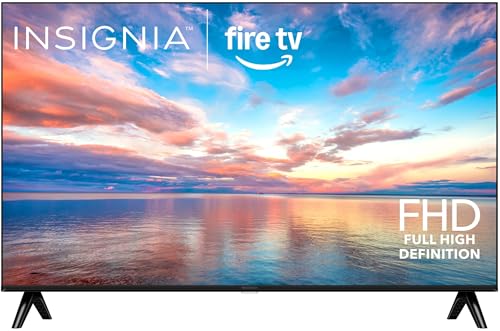
Best Value: INSIGNIA 32" Class F40 Series 1080P Full HD Direct
The INSIGNIA 32" Class F40 Series 1080P Full HD Direct is a budget-minded choice for viewers who want a 1080p screen and built-in Fire TV. Its Direct LED backlight, Apple AirPlay 2 and Bluetooth personal-audio support give it useful options for streaming, sharing content from Apple devices and private listening. Two HDMI inputs include one with eARC, which can connect a compatible soundbar or other audio equipment.
Reasons to buy:
- Full HD 1080p resolution for more detail than 720p models in this guide.
- Fire TV, voice remote and more than 400 free streaming channels listed.
- Bluetooth personal audio and Apple AirPlay 2 add useful listening and sharing options.
Reasons to avoid:
- It has two HDMI inputs, so buyers with several connected devices may need to switch cables or add a separate HDMI switch.
- The published details do not specify a QLED panel or HDR support.
Skip it if you need more than two HDMI connections or specifically want a QLED screen.
Best for Roku and Casting: TCL 32-Inch R3D Series QLED Full HD Smart Roku TV
The TCL 32-Inch R3D Series QLED Full HD Smart Roku TV suits viewers who want Roku’s home screen with a QLED display and broad casting support. The listing specifies Full HD resolution, Google Cast and Apple AirPlay 2, so it can fit households that share video from either Android or Apple devices. Its two HDMI inputs include ARC, and the listed headphone jack and optical audio output offer additional ways to connect audio equipment.
Reasons to buy:
- QLED color and Full HD resolution are specified together.
- Google Cast and AirPlay 2 support sharing from compatible devices.
- Roku streaming, HDMI ARC, optical audio and a headphone jack cover varied entertainment setups.
Reasons to avoid:
- Two HDMI inputs may feel limiting if you regularly connect multiple consoles and players.
- The listing does not identify a refresh rate in hertz; Motion Rate 120 is a marketing feature name, not a stated native refresh rate.
Skip it if your priority is a clearly stated native refresh rate or you need several HDMI ports.
Best for Multiple Connected Devices: Philips 32-Inch Class QLED 1080p Smart Roku TV
The Philips 32-Inch Class QLED 1080p Smart Roku TV is a strong fit for a compact setup with a console, cable box or soundbar. Its listing specifies three HDMI ports, including one with ARC, plus two USB ports, optical audio output, a headphone jack and mini AV input. Full HD resolution and QLED color combine with Roku streaming, while AirPlay and support for Siri, Alexa and Google Assistant help it fit different household ecosystems.
Reasons to buy:
- Three HDMI ports provide more connection room than the two-port models in this guide.
- Full HD 1080p and QLED are both listed.
- Roku, AirPlay, voice-assistant compatibility and a headphone jack offer varied control and listening choices.
Reasons to avoid:
- The stated VESA pattern is 200 x 200 mm, so check that your wall mount supports it.
- Voice assistant compatibility and AirPlay availability do not guarantee that every feature works identically across devices; confirm your setup needs.
Skip it if you want a smaller VESA mounting pattern or prefer a TV with a different smart platform.
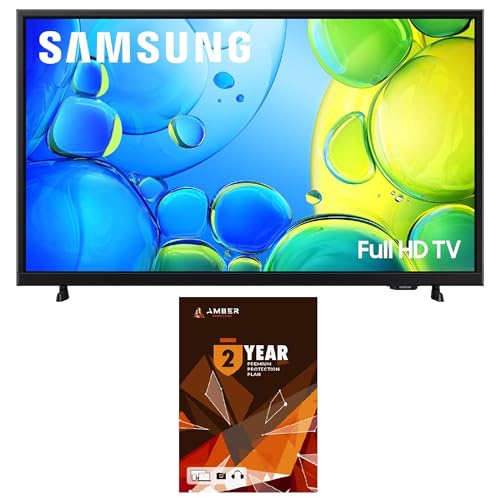
Best for Samsung Smart TV Features: Samsung UN32F6000FFXZA 32 Inch FHD Smart TV
The Samsung UN32F6000FFXZA 32 Inch FHD Smart TV is aimed at viewers who prefer Samsung’s Tizen platform and want listed HDR support. The published listing also names PurColor, Object Tracking Sound Lite and Samsung Knox Security. This product entry is a bundle with a 1-year Amber protection plan in addition to the included 1-year manufacturer warranty; check the listing carefully because another entry for the same TV describes a different protection-plan term.
Reasons to buy:
- Full HD smart TV with HDR support listed.
- Tizen provides access to Samsung’s smart TV platform and apps.
- The supplied bundle details specify an additional 1-year protection plan alongside the manufacturer warranty.
Reasons to avoid:
- The listing information does not state the number of HDMI ports or identify a casting feature.
- Confirm the exact bundle and protection-plan terms before choosing between listings for this model.
Skip it if you need clearly documented port counts, or if Roku or Fire TV is your preferred platform.
Best for a Simple Roku Setup: Roku 32-Inch Select Series Smart TV 2026-720p HD
The Roku 32-Inch Select Series Smart TV 2026-720p HD is suited to viewers who want a straightforward Roku interface for a bedroom or kitchen. Its 720p resolution is a lower detail level than the Full HD models above, but the listing emphasizes simple setup, a clean home screen, voice search and free live entertainment. AirPlay and voice control through Roku Voice, Siri, Alexa or Google Assistant are also listed.
Reasons to buy:
- Roku’s simple home screen and voice remote focus on easy navigation.
- AirPlay and several voice-control options support compatible devices and smart-home setups.
- The listing includes Bluetooth headphone mode for private listening.
Reasons to avoid:
- 720p resolution provides fewer pixels than Full HD 1080p choices in this guide.
- The published details do not specify HDMI port count or particular audio outputs.
Skip it if you sit close to the screen and prioritize Full HD detail or need documented connection details before buying.
Also Considered
The VIZIO Onn 32S2V1 32" Class (720p) may suit buyers seeking Roku streaming and broad smart-home compatibility, but its listing identifies it as renewed and specifies 720p.
The INSIGNIA 32" Class FE Series LED Full HD offers 1080p and Fire TV, but the F40 entry adds specified AirPlay 2 and Bluetooth personal audio.
The Amazon Ember 32" 2-Series with Fire TV could fit a Fire TV household interested in Wi-Fi 6 and Alexa features, though its listed resolution is 720p.
The Hisense 32" Class QD4 Series Hi-QLED HD may appeal to sports viewers and casual gamers, with listed Game Mode and AI Sports Mode, but the supplied resolution description says HD rather than Full HD.
How to Choose the Best 32-Inch TV
Resolution and viewing distance
Resolution describes how many pixels make up the picture. Full HD 1080p models in this guide offer more pixels than 720p HD models, which can help when you sit relatively close or watch detailed material. A higher resolution alone does not establish overall picture quality, since panel technology, picture processing and content also matter.
Check the listing for an explicit resolution rather than relying on a broad HD label. If the TV will mostly show casual programs from farther away, 720p may meet your needs; for closer desk or bedroom viewing, consider the Full HD options such as the INSIGNIA F40 or Philips QLED Roku TV.
Panel type, color and HDR
QLED appears on the TCL and Philips models, and the Hisense listing uses the term Hi-QLED. These labels describe display technology, but they do not provide a measured brightness or guarantee a particular viewing result. Samsung’s listing specifies HDR, while the listing information for several other models does not state HDR support.
Look for the exact feature you want in the model listing, including supported HDR formats if format compatibility matters to your streaming device or content. Do not assume HDR support on one screen means every HDR format is supported. For ordinary TV viewing, resolution and the apps you use may be more useful deciding points than a panel label alone.
Smart platform, apps and casting
Roku, Fire TV, Samsung Tizen and VIDAA organize streaming and smart features differently. Pick a platform that supports the services you use and has controls you find easy to navigate. The published listings describe Roku on the TCL, Philips, VIZIO Onn and Roku models, Fire TV on the INSIGNIA and Amazon models, Tizen on Samsung, and VIDAA on Hisense.
Casting matters if you often share photos or video from a phone or laptop. The TCL lists both Google Cast and AirPlay 2, while Philips lists AirPlay and the INSIGNIA F40 specifies AirPlay 2. Check the exact feature and device compatibility in the listing; support for a voice assistant does not necessarily mean every casting function is included.
Ports, audio and mounting
Count your connected devices before choosing. HDMI inputs serve consoles, cable boxes and streaming players, while ARC or eARC can send audio to compatible sound equipment through HDMI. The Philips lists three HDMI ports; the TCL and INSIGNIA F40 list two each. Port counts for other models are not included in the published product details, so verify the exact listing if you need a specific connection.
Audio options matter when built-in speakers are not your only listening method. Philips lists optical audio and a headphone jack, while the INSIGNIA F40 lists Bluetooth personal audio. For wall mounting, compare the TV’s stated VESA pattern with the mount. Philips specifies 200 x 200 mm and TCL specifies 100 x 100; do not assume those patterns are interchangeable.
Gaming and sports features
A game mode can be useful for console play, but the listed feature alone does not establish every aspect of gaming performance. The Hisense QD4 listing specifies Game Mode and a claimed 16 ms delay, while the VIZIO Onn listing names a dedicated Game Mode without a measurement. Check supported resolution, console connections and the features stated for the exact model.
Sports-specific picture processing may appeal to viewers who watch fast-moving action, but it is not a substitute for a stated native refresh rate. Hisense lists AI Sports Mode, and TCL uses the phrase Motion Rate 120 without specifying a native refresh rate in the listing information. Verify the technical detail that matters to you rather than treating a feature name as a directly comparable measurement.
How We Compared
We compared the published product descriptions, listed specifications, design details and customer feedback fields. The comparison focuses on resolution, stated panel and HDR features, smart platform, casting and voice compatibility, ports, audio options, mounting details and gaming features where provided. Several listings show no customer reviews, so this guide does not treat the displayed rating as evidence of recurring owner experience.
Product details can vary between listings, especially where a model is sold as a bundle or renewed item. Confirm the precise model, included protection plan, port layout and compatibility details on the product page before ordering. For more screen sizes, browse our 55-inch TV comparison, or compare other options in our TV guide for models under $300. Roku shoppers can also see our Roku TV comparison and the TCL TV guide.
Frequently Asked Questions
Is 720p enough for a 32-inch TV?
It can be sufficient for casual viewing, particularly when you sit farther from the screen. Full HD 1080p provides more pixels and may be preferable for close viewing or detailed content. Compare the stated resolution with your seating distance and typical programs.
Does QLED mean a TV is always brighter or better?
No. QLED identifies a display technology, but the published descriptions do not provide directly comparable measured brightness results. Consider resolution, smart features, connections and the exact picture specifications instead of using the label alone.
Can I mirror my phone to any smart TV in this guide?
No. Casting depends on the feature and phone ecosystem supported by the specific model. The TCL lists Google Cast and AirPlay 2, while other listings name AirPlay or broader voice-assistant compatibility. Check the exact model’s listing and your device’s requirements before buying.
What is the difference between HDMI ARC and eARC?
ARC and eARC are HDMI audio-return features for sending audio from a TV to compatible audio equipment. The INSIGNIA F40 lists one eARC input, while the TCL and Philips list HDMI ARC. Confirm that the TV and connected soundbar or receiver support the connection you plan to use.
Can these TVs connect to a wall mount?
Mounting compatibility depends on the TV’s VESA pattern and the mount. The published details specify 100 x 100 mm for the TCL and 200 x 200 mm for the Philips. Check the exact TV and mount specifications, including any size or weight limits, before installation.


Write Your Review
No reviews yet. Be the first to share your experience!