

Choosing between a portable SSD and an external hard drive comes down mainly to speed, portability, and storage capacity. A portable SSD can suit frequent file transfers and travel, while a hard drive can offer more space for backups, often in a larger desktop format.
The examples below include two types of storage, plus one desktop hard drive that is not a direct portable-drive substitute. Check your computer’s ports and the drive’s format before buying. For more options, browse our portable SSD category.
Quick Verdict
Choose a portable SSD if you move large files often or carry a drive between locations. The listing specifies speeds up to 2,000MB/s for the new-model SANDISK 1TB Extreme Portable SSD and SANDISK 2TB Extreme Portable SSD, along with IP65 water and dust resistance and up to 3-meter drop protection. These are manufacturer specifications, not guaranteed speeds on every computer. Skip them if you prioritize maximum capacity over transfer speed or need an inexpensive archive drive.
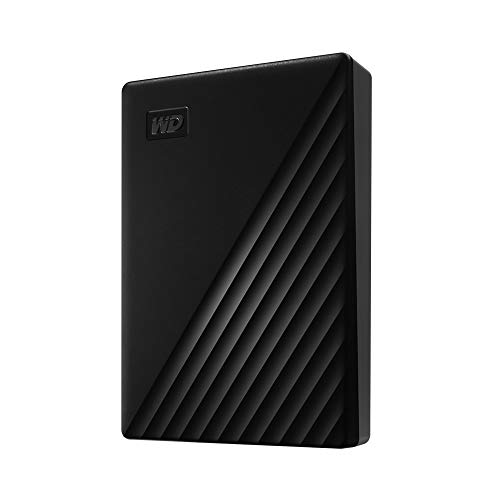
Choose an HDD for roomy backups and file storage when top transfer speed is less important. The Seagate Portable 4TB External Hard Drive HDD is listed for Windows and macOS, while the WD 4TB My Passport, Portable External Hard Drive adds password protection and hardware encryption. Skip HDDs if you need the fastest transfers or a drive designed for frequent bumps and travel.


Pros
- 4TB storage capacity
- Windows and Mac compatibility
- No software required for setup
Cons
- HDD, not a solid-state drive
- Who should skip it: buyers needing a specified transfer speed
Pros
- 4TB storage capacity
- Slim, portable design
- Password protection and hardware encryption
- Three-year limited warranty
Cons
- Who should skip it: anyone needing more than 4TB
Pros
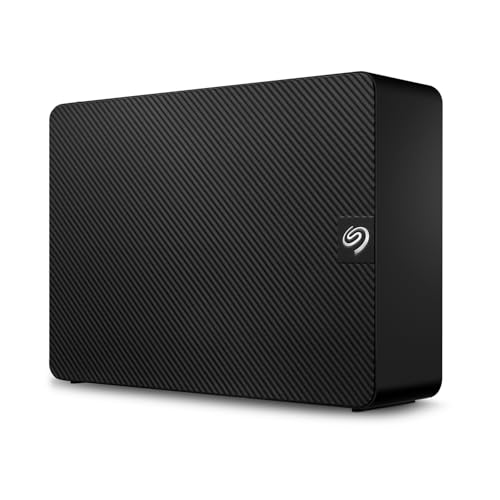
- 6TB storage capacity
- USB 3.0 connection
- Drag-and-drop file saving
- Windows and Mac recognition
Cons
- Requires a power adapter
- Time Machine use requires reformatting
- Who should skip it: users needing storage without a power adapter

Portable SSD vs External Hard Drive: Key Differences
Transfer speed and everyday work
The newer SANDISK SSD listings specify speeds up to 2,000MB/s. The older 2TB SANDISK model lists up to 1,050MB/s read and 1,000MB/s write. Those figures are maximum claims, and actual transfer speeds depend on the host device and other factors. The HDD listings specify USB 3.0 or USB 3.1/USB 3.0 connectivity but do not provide comparable transfer-rate figures.
For frequent transfers of photo or video files, an SSD’s stated speed can reduce waiting when the computer supports the drive’s connection. For less frequent backups, an HDD may be adequate. Confirm the computer’s USB port capability: USB-C connector shape alone does not guarantee a particular data speed.
Capacity and storage role
The supplied SSDs offer 1TB or 2TB. The portable Seagate and WD HDDs each offer 4TB, while the 6TB Seagate Expansion is described as a desktop drive. More capacity can help keep larger media libraries or backups in one place, but the Expansion’s desktop design and power adapter make it a different choice from a pocketable travel drive.
The Seagate Expansion 6TB External Hard Drive HDD offers higher listed capacity and Rescue Data Recovery Services, but needs a power adapter and USB cable. Its upside is room for a large stationary archive; its drawback is less convenience for carrying around. Skip it if you need a compact, bus-powered drive, since the published details specify a desktop drive and power adapter.
Portability and protection
The new SANDISK SSDs are described as pocket-sized, with IP65 water and dust resistance and up to 3-meter drop protection. The older 2TB model lists the same stated resistance and drop protection, plus a carabiner loop. These ratings do not mean a drive is waterproof or safe from every impact, so protect it from exposure beyond its specified rating.
The Seagate and WD 4TB models are described as portable drives, but the published information does not specify drop or water-resistance ratings. Their advantage is higher listed capacity than the SSDs; their drawback for rough travel is the absence of comparable protection claims. Skip them if you need specified water, dust, and drop protection.
Security and backup features
Both new SANDISK SSD listings specify password protection with 256-bit AES encryption. The older SANDISK 2TB model also lists password protection and 256-bit AES hardware encryption. WD lists password protection, hardware encryption, and backup software with ransomware defense. Those features may help protect private files, but they do not replace a separate backup.
The Seagate Portable 4TB listing emphasizes plug-and-play backup and includes a one-year Rescue service, while the Seagate Expansion listing includes Rescue Data Recovery Services. Check service terms and duration before relying on recovery coverage. The portable Seagate’s straightforward setup is a plus; its published listing does not specify encryption, so skip it if built-in encryption is essential.
Compatibility and setup
The Seagate Portable drive is listed for Windows and macOS, and WD specifies USB 3.1/USB 3.0 compatibility. The Expansion drive is automatically recognized by Windows and Mac, but reformatting is required for Time Machine use. The supplied SSD details identify USB-C 3.2 Gen 2, but do not spell out operating-system compatibility for every model. Verify your computer’s ports, operating system, and formatting needs before purchase.
Which Should You Buy?
For travel and frequent file transfers: Consider the new-model SANDISK SSDs. Their listed compact design and protection ratings support a portable workflow, while the 2,000MB/s maximum claim may help when paired with a compatible host. The 1TB model has less capacity than the 2TB version, so choose based on your storage needs.
For a larger portable backup: The Seagate Portable 4TB or WD 4TB My Passport gives you twice the listed capacity of a 2TB SSD. Seagate emphasizes simple drag-and-drop setup; WD adds password protection and hardware encryption. Neither listing provides an SSD-equivalent speed claim.
For a stationary archive: Consider the Seagate Expansion 6TB if you can keep it near a power outlet. Its desktop format and included power adapter are drawbacks for travel, but its listed capacity exceeds the other options here.
For a lower-capacity SSD or older model: The 1TB new-model SANDISK trades capacity for a smaller storage commitment, while the older 2TB SANDISK lists lower maximum speeds than the new models. The older model includes a carabiner loop and encryption. Compare connection support and intended capacity before choosing between generations.
How We Compared
We compared the published listings for drive type, stated capacity, connection details, speed claims, portability and protection features, security, and backup tools. Product claims are attributed to the listings; where compatibility or performance information is missing, confirm it with the manufacturer and your computer’s specifications. For a related computer accessory guide, see our external monitor guide for MacBook Air.
Frequently Asked Questions
Is a portable SSD faster than an external hard drive?
SSDs generally offer faster file access and transfers than HDDs, but real speeds depend on the drive, connection, and computer. The SANDISK listings state maximum speeds; the supplied HDD details do not include directly comparable speed figures.
Which is better for backups, an SSD or an HDD?
Either can store backups. An HDD may suit a large archive when capacity matters more than speed, while an SSD can be more convenient for frequent transfers or travel. Keep a second copy of important files on a separate device or service.
Can these drives work with both Windows and Mac?
The Seagate Portable listing specifies Windows and macOS support. The Expansion listing says Windows and Mac computers recognize it, with reformatting required for Time Machine. Check each model’s current instructions and your intended file system before moving files between operating systems.
Does USB-C mean an SSD will reach its listed speed?
No. USB-C describes the connector shape, not a guaranteed data rate. The host port, cable, and drive connection all affect performance, so check that each supports the speed you want.
Is the Seagate Expansion 6TB portable?
It is an external desktop hard drive, not the same kind of pocketable portable drive as the listed SSDs. Its published description specifies a power adapter and USB cable, making it more suitable for a stationary setup.





Write Your Review
No reviews yet. Be the first to share your experience!