

AI features now appear in lightweight student laptops and gaming systems, but those devices serve different needs. Choosing the Best AI Laptop means looking beyond AI labels: processor and memory, display, battery claims, operating system, and ports all affect what you can do day to day.
This guide compares four options from Apple and Acer, from a portable MacBook to a laptop with a dedicated NVIDIA GPU. Use the differences to narrow your choice by workload, software preference, and the features you will actually use.
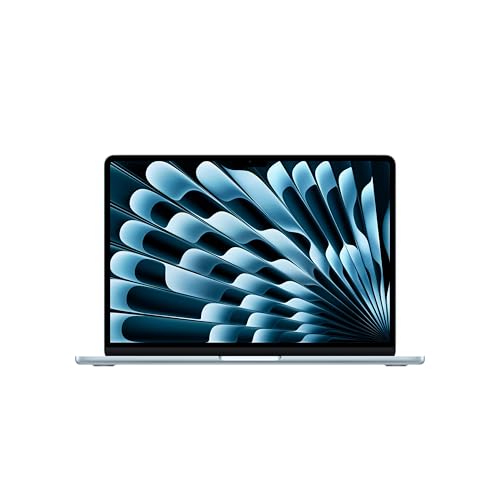
Pros
- Up to 18 hours of manufacturer-rated battery life
- Bright 13.6-inch Liquid Retina display with wide color
- Lightweight aluminum chassis weighs under 2.8 pounds
- Fast Wi-Fi 7 support and Thunderbolt 4 connectivity
Cons
- Only two Thunderbolt ports limit direct wired accessories
- External display output caps at two monitors
- Users needing broad port selections should skip it

Pros
- Fast 180Hz display with 100 percent sRGB coverage
- Nvidia RTX 5060 GPU powers hardware ray tracing
- Preinstalled 32GB DDR5 RAM handles demanding workloads
- Secondary open M.2 slot allows easy storage expansion
Cons
- Carries 4.63 pounds weight, limiting daily mobile carry
- Maximum memory capacity reaches ceiling at 32GB
- Frequent travelers should skip due to overall chassis footprint

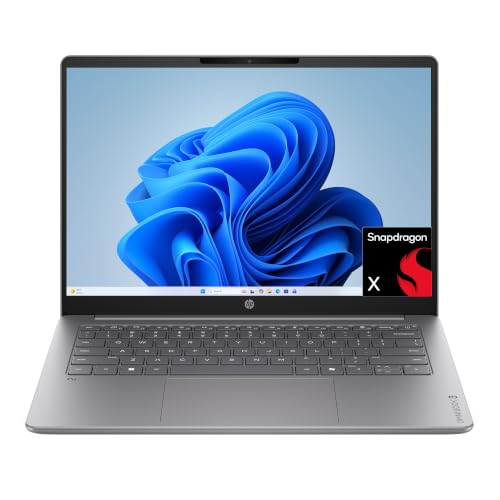
Pros
- 14-inch WUXGA touchscreen
- 16GB memory and 1TB SSD
- 1080p FHD IR webcam
- 3.04-pound weight
Cons
- Who should skip it: buyers needing port or OS specifics
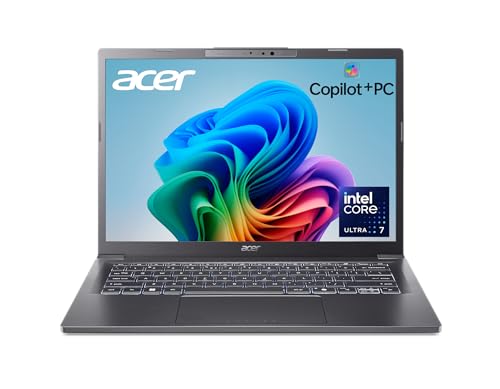
Pros
- 1TB SSD storage
- 14-inch WUXGA display
- 3.09-pound weight
- Aluminum chassis and 180-degree hinge
Cons
- Up to 22-hour battery claim uses video playback scenarios
- Who should skip it: buyers needing confirmed port or OS details
The Best Laptops by Use Case
Best for Mac Users on the Go: Apple 2026 MacBook Air 13-inch Laptop with M5
The Apple 2026 MacBook Air 13-inch Laptop with M5 is the portability-focused choice for students and Mac users who want Apple Intelligence and a compact 13.6-inch display. Apple lists up to 18 hours of battery life, but that figure comes from the manufacturer, and your results can vary with apps and workload. Its 16GB unified memory and 512GB SSD make it a straightforward fit for everyday schoolwork, communication, and general creative tasks.
Two Thunderbolt 4 ports, MagSafe charging, a headphone jack, Wi-Fi 7, and Bluetooth 6 give you several useful connection options. The listing also says it supports up to two external displays, a helpful detail if you want a larger desk setup while keeping a compact laptop for travel. Review our MacBook buying guide if you are comparing Apple laptop families.
Reasons to buy:
- Apple Intelligence features run within macOS.
- The 13.6-inch Liquid Retina display supports 1 billion colors.
- The listing specifies Wi-Fi 7, Bluetooth 6, MagSafe, and two Thunderbolt 4 ports.
Reasons to avoid:
- The 512GB SSD is less storage than the 1TB options in this group.
- Check that your required apps support macOS before switching from Windows.
Skip it if you need Windows-only software, a dedicated gaming GPU, or more built-in storage than the listed 512GB.
Best for High-Refresh Gaming: Acer Nitro V 16S AI Gaming Laptop
The Acer Nitro V 16S AI Gaming Laptop is the clearest fit here for gaming and graphics-heavy work. Its listed NVIDIA GeForce RTX 5060 Laptop GPU, 32GB DDR5 memory, and 1TB PCIe Gen 4 SSD distinguish it from the integrated-graphics Aspire models. The 16-inch WUXGA IPS display has a 180Hz refresh rate and 100% sRGB coverage, which may suit players who value fluid motion and creators who need the stated color coverage.
The listing describes DLSS 4 features, including Multi Frame Generation, Ray Reconstruction, and Super Resolution. Those features depend on supported games and software, so confirm compatibility with the titles or applications you use. The product data does not specify battery life or port selection, so check the current listing if you plan to game away from a desk or connect several peripherals.
Reasons to buy:
- The RTX 5060 Laptop GPU is a dedicated graphics option for supported games and creative apps.
- The 180Hz display offers a higher listed refresh rate than the other picks.
- 32GB DDR5 memory and a 1TB SSD provide the largest listed memory capacity and storage combination in this guide.
Reasons to avoid:
- The 16-inch screen and gaming focus may be less convenient if you prioritize a compact everyday carry.
- Battery life and port details are not provided in the published product information, so verify them before buying.
Skip it if you want a small laptop for long days away from an outlet or do not need dedicated graphics.
Best Value for Touchscreen Copilot+ Use: Acer Aspire 14 AI Copilot+ PC
The Acer Aspire 14 AI Copilot+ PC with Intel Core Ultra 5 is the lower-cost way into this group’s 14-inch Copilot+ options. It pairs an Intel Core Ultra 5 226V with 16GB LPDDR5X memory, a 1TB Gen 4 SSD, and a 14-inch WUXGA touchscreen. That combination suits school, office tasks, and touch-based navigation without stepping up to the Core Ultra 7 model.
Acer lists an NPU rated up to 40 TOPS and describes Copilot+ features such as Cocreator, Live Captions, and Recall. Feature availability can change with software updates and region, so check which functions are currently available for your location and preferred apps. The listing claims up to 22 hours of battery life under specific video playback conditions; treat that as a manufacturer claim, not a promise of typical use.
Reasons to buy:
- The 14-inch WUXGA touchscreen supports touch input for compatible Windows tasks.
- The listed 1TB SSD offers twice the capacity of the MacBook option here.
- A 1080p FHD IR webcam and Acer camera and microphone controls support video calls.
Reasons to avoid:
- Its 16GB of memory is less than the Nitro’s listed 32GB.
- The published details list Wi-Fi 6E, not Wi-Fi 7.
Skip it if your priority is gaming with a dedicated GPU or you want the higher listed NPU and GPU TOPS of the Core Ultra 7 Aspire.
Best for More Integrated AI Headroom: Acer Aspire 14 AI Copilot+ PC
This Acer Aspire 14 AI Copilot+ PC uses an Intel Core Ultra 7 256V and Intel Arc 140V graphics, making it the stronger-on-paper Aspire choice for buyers comparing integrated AI specifications. Its listed NPU reaches up to 47 TOPS and its GPU up to 64 TOPS, compared with up to 40 NPU TOPS and 53 GPU TOPS for the Core Ultra 5 version. Both models have 16GB LPDDR5X memory and a 1TB SSD, so the processor and graphics distinction is the main reason to choose this configuration.
The 14-inch WUXGA display and aluminum chassis are listed for this model, along with Wi-Fi 6E and a 180-degree lie-flat hinge. Acer also cites up to 22 hours of battery life, measured under specific video playback conditions. These specifications make it appealing for mobile productivity and compatible AI features, but they do not establish how quickly it will handle any particular application.
Reasons to buy:
- The listed NPU and GPU TOPS are higher than those of the Core Ultra 5 Aspire in this guide.
- The aluminum chassis and 180-degree hinge support flexible use on the move.
- Copilot+ PC features include Recall preview and Click to Do preview, subject to availability and updates.
Reasons to avoid:
- It retains 16GB memory, the same listed capacity as the less expensive Aspire configuration.
- Verify that preview AI features are available and useful for your workflow before paying for the higher processor tier.
Skip it if you need a dedicated NVIDIA GPU for gaming or your tasks do not benefit from the listed Core Ultra 7 and integrated graphics tier.
How to Choose the Best AI Laptop
Match the processor, memory, and AI workload
AI labels do not tell you whether a laptop suits your specific work. These listings describe different approaches: Apple’s M5 platform and Apple Intelligence, Intel Core Ultra processors with Copilot+ features, and the Nitro’s AMD processor paired with an NVIDIA GPU. Start with the applications you use, then check their operating-system support and whether they can use the laptop’s CPU, NPU, or GPU features.
Memory also affects how much you can keep open while working. The Nitro lists 32GB, while the other three list 16GB. That makes the Nitro worth considering for heavier multitasking, but the published details do not say how a particular application will perform. Confirm the memory requirement for your main apps, and check whether the listed memory can be upgraded before purchase if future expansion matters.
Choose integrated or dedicated graphics by task
The Acer Nitro is the only listed laptop here with a dedicated NVIDIA GeForce RTX 5060 Laptop GPU. Its gaming features and 180Hz display make it the most targeted choice for supported games and GPU-accelerated creative applications. The Aspire models list Intel Arc graphics, while the MacBook listing describes a next-generation GPU with Neural Accelerators. Those products may fit everyday creativity and AI-enabled productivity, but the published specifications do not support direct benchmark comparisons.
Check the software maker’s recommended graphics requirements, including whether it calls for a dedicated GPU. Also confirm support for features such as DLSS before treating them as a reason to buy. If your main work is documents, calls, and web apps, a gaming GPU may add capability you do not need.
Compare display size, resolution, and touch needs
The MacBook has a 13.6-inch Liquid Retina display; both Aspire models have 14-inch WUXGA displays, and the Core Ultra 5 version specifies touch input. The Nitro provides the largest listed screen at 16 inches, with 1920 x 1200 resolution, an IPS panel, 100% sRGB coverage, and a 180Hz refresh rate. A larger display can give games and split-screen work more room, while a smaller laptop can be easier to carry.
Do not assume that resolution alone determines image quality. Look for the panel type, color coverage, refresh rate, and touch support that matter to your tasks. For design work, compare the listed color coverage with the application and color requirements you actually use. Our guide to laptops for graphic design offers more context for that decision.
Check storage, battery claims, and daily portability
Three systems list 1TB of SSD storage, while the MacBook lists 512GB. Consider the size of your files, games, and offline media, and check whether external storage fits your setup. The Nitro also lists two M.2 slots with one available, but the product information does not describe installation requirements or included parts. Verify those details if you expect to expand storage.
Battery claims need context. Apple lists up to 18 hours for the MacBook, and Acer lists up to 22 hours for each Aspire, with the Aspire claims tied to specific video playback conditions. The supplied Nitro details do not include a battery estimate. Actual use depends on workload and settings, so prioritize a clearly stated claim only as a comparison point, not as a guaranteed runtime. For campus or travel use, also consider screen size and access to charging.
Verify operating system, wireless, and physical connections
The MacBook runs macOS; the Acer models are Windows laptops, and the Aspire listings specifically identify Copilot+ PC features. Before buying, confirm that your required apps, school tools, accessories, and workplace services support the operating system. Copilot+ capabilities and preview features can vary by device, market, and update status, as the published listing notes.
Wireless details also differ: the MacBook listing specifies Wi-Fi 7 and Bluetooth 6, while both Aspire listings specify Wi-Fi 6E and the Nitro lists Wi-Fi 6. The MacBook’s supplied port details include two Thunderbolt 4 ports, MagSafe, and a headphone jack. Port information is missing for the Acer systems here, so check the complete current listing for the connections you need, such as external displays or wired accessories. See our guides to student laptops with Linux compatibility and laptops for accounting if those use cases shape your choice.
How We Compared
This comparison uses the published product specifications, design details, and feature descriptions. We considered processor and memory listings, graphics, display details, storage, stated battery-life conditions, operating system, connectivity, and described AI features. Where a product listing omitted information, such as the Nitro’s battery estimate or Acer port details, we identify it as something to verify rather than filling the gap with an assumption. Manufacturer battery figures and AI capability descriptions are presented as claims from the listings, not as guaranteed results.
Frequently Asked Questions
What makes a laptop an AI laptop?
In this group, the term covers several approaches: Apple’s M5 platform and Apple Intelligence, Intel Core Ultra systems with NPU specifications and Copilot+ features, and a gaming laptop with a dedicated NVIDIA GPU and AI-related graphics features. The label alone does not guarantee that every AI app will run locally or support every feature. Check the requirements for the software you plan to use.
Which laptop is best for gaming?
The Acer Nitro V 16S AI Gaming Laptop is the clearest gaming-oriented option in this comparison because it lists an NVIDIA GeForce RTX 5060 Laptop GPU and a 16-inch, 180Hz display. Game compatibility and performance can vary, so compare the GPU and feature requirements for the titles you play. The Aspire models list integrated Intel Arc graphics rather than a dedicated NVIDIA GPU.
Should I choose the Core Ultra 5 or Core Ultra 7 Aspire?
Both Aspire configurations list a 14-inch WUXGA display, 16GB LPDDR5X memory, and a 1TB SSD. The Core Ultra 7 version lists higher NPU and GPU TOPS, while the Core Ultra 5 version specifies a touchscreen and a 1080p FHD IR webcam. Compare the features you need and confirm any details not shared by both listings, rather than assuming that one model includes every feature of the other.
Can I use these laptops with my existing apps and accessories?
Check software support for macOS or Windows before choosing an operating system. For accessories, compare their connection requirements with the laptop’s complete port list; the published data gives detailed port information only for the MacBook. Also verify external display support and any required adapters instead of assuming all USB-C or Thunderbolt connections work the same way.
Should I rely on the advertised battery-life figures?
Use them as manufacturer claims, not guaranteed everyday runtimes. The Aspire claims are tied to specific video playback conditions, and Apple also presents its figure as an up-to claim. Brightness, applications, wireless use, and workload can affect battery life, so consider how often you can charge and check for usage details on the current product listing.



Write Your Review
No reviews yet. Be the first to share your experience!