

Creating video on a mobile device brings immediate challenges with stability, framing, and clean sound. Handheld shooting introduces noticeable camera shake, forces awkward arm angles, and limits how you interact with an audience. Choosing the best smartphone tripod for content creators involves weighing compact portability against extended height, clamp width, and bundled audio or lighting gear.
Different production styles call for different tools. A travel vlogger needs a lightweight stand that fits inside a backpack, while a cooking or fitness creator might need automated motion tracking and external microphones. This guide examines physical height reach, mount flexibility, wireless audio connectivity, and fill lighting so you can find a setup that matches your specific filming needs.

Pros
- Plug-and-play wireless microphones require no app setup
- Wide extension range spans 13 to 71 inches
- Versatile 3-in-1 receiver supports Lightning, USB-C, and 3.5mm
- Dual detachable fill lights offer three color temperatures
Cons
- Receiver requires manual disconnection to preserve device battery
- Manual head lacks motorized tracking for dynamic panning
- Creators needing automated motion tracking should skip it
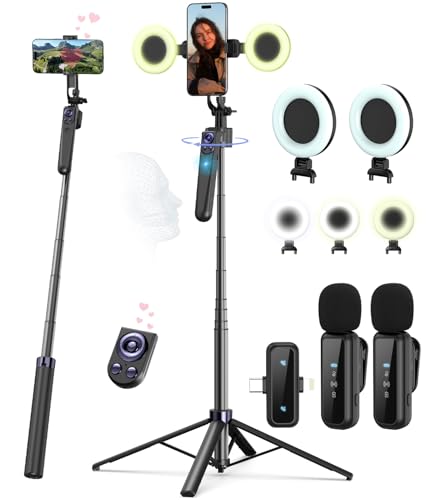
Pros
- Hands-free AI face tracking with gesture activation
- Four-leg aluminum base extends to 63 inches
- Dual clip-on microphones with Lightning and Type-C support
- Integrated fill lights offer three color temperatures
Cons
- Phone clamp specification lists only 4 to 4.7 inches
- Creators with large smartphones should skip this kit

Pros
- Aluminum legs adjust from 11.6 to 71 inches
- Wireless mic includes Type-C and Lightning connectors
- Dual detachable lights feature three color modes
- Includes Bluetooth shutter remote with 33-foot range
Cons
- Phone clamp specifies narrow 4 to 4.7-inch width
- Creators with larger smartphones should skip it

Pros
- Operates 360-degree face tracking without installing mobile apps
- Includes dual wireless microphones with multi-interface receiver
- Sturdy four-leg aluminum base extends up to 71 inches
- Dual adjustable fill lights assist in varied lighting conditions
Cons
- Wireless remote controls phone functions but not tripod movement
- Tracking requires specific physical hand gestures to engage
- Creators needing heavy dedicated camera rigs should skip it

Pros
- Tripod extends up to 60 inches
- Includes microphone, light, remote, and travel case
- Supports both vertical and horizontal phone filming
- Audio cables connect to phones, tablets, and DSLRs
Cons
- Light output limited to 300 lumens
- Who should skip it: studio video professionals

Pros
- Extends up to 63.7 inches for high angles
- Functions as both tripod and selfie stick
- Includes wireless remote with 30-foot range
- Supports standard quarter-inch screw camera gear
Cons
- Incompatible with devices wider than 3.7 inches
- Remote requires clear line of sight without obstacles
- Skip if phone width exceeds 3.7 inches
Buying Guide: Best Smartphone Tripod for Content Creators
Extension Height and Base Stability
Maximum pole height shapes your shot composition. Desktop setups for talking-head clips or video meetings need only 12 to 15 inches of elevation. Standing demonstrations, fitness workouts, and wide-angle presentations require stands that reach between 60 and 71 inches. Taller columns raise the center of gravity, which can cause wobble if the base legs are narrow. Models with four-leg bases offer a wider footprint than basic three-leg stands, reducing the risk of a heavy phone tipping over during an active shoot.
Integrated Wireless Audio vs. Standalone Mounts
Built-in phone microphones pick up ambient room echo and wind noise, degrading your final recording. Complete starter kits bundle wireless lavalier microphones with multi-interface receivers supporting USB-C, Lightning, and 3.5mm jacks. These plug straight into iOS or Android devices without specialized adapters. If you choose a standalone tripod that lacks audio accessories, you will need to supply an external microphone or rely on independent tools like wireless earbuds for phone calls to monitor sound.
Automated Tracking vs. Manual Adjustments
Creators who move across a room during tutorials benefit from motorized mounts with optical tracking sensors. These units recognize faces and respond to hand gestures, such as an open palm or OK sign, without requiring a mobile application. Manual tripod heads instead rely on physical knobs to manage 360-degree rotation and 270-degree vertical tilt. Manual heads eliminate motor battery consumption and mechanical noise, while motorized bases handle framing adjustments when you work alone.
Fill Light Quality and Power Options
Indoor filming often suffers from harsh shadows and poor exposure. Several kits include detachable LED lights featuring adjustable color temperatures such as warm, cool, and neutral white. These small panels recharge via USB-C ports, so they draw power from their own internal batteries rather than draining your phone. Creators looking to improve desktop illumination for streaming alongside a webcam for home office calls can also use these compact lights as secondary fill sources.
Phone Clamp Capacity and Rigging Threads
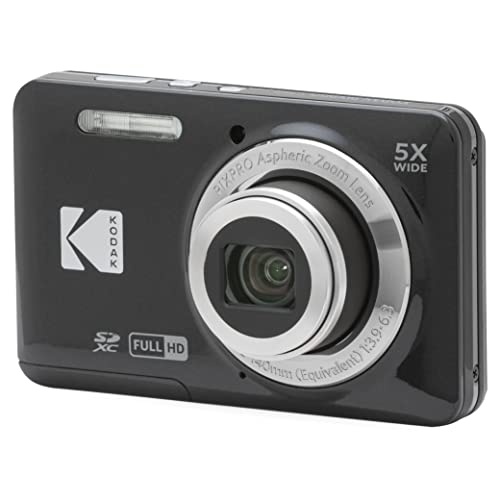
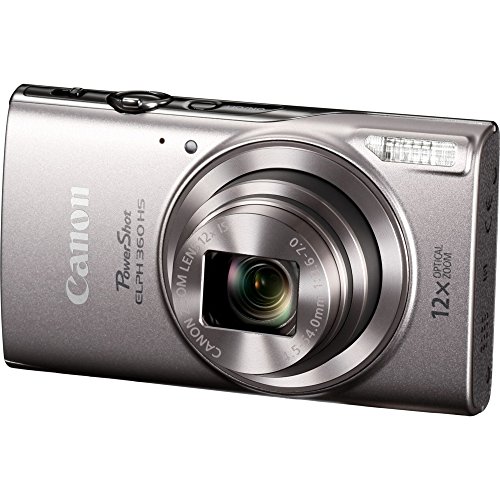
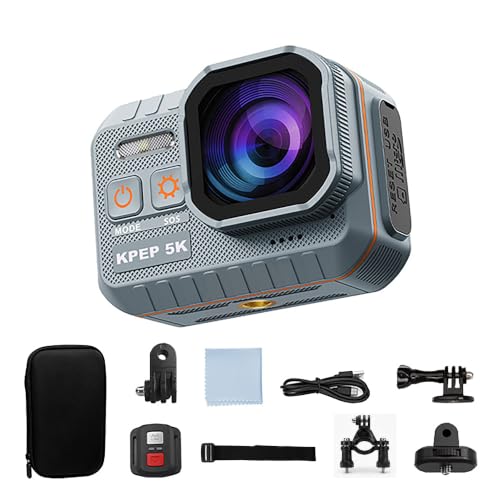
A phone bracket must hold your mobile device securely, especially if you keep a thick protective case on it. Check the clamp expansion range before buying, as some holders open up to 3.9 inches while others top out at 3.7 or 4.7 inches. Tripods equipped with standard 1/4-inch screw mounts add flexibility, letting you attach digital cameras, action cameras, or audio accessories when you outgrow basic smartphone attachments.
How We Compared These Products
We evaluated each product by analyzing manufacturer specifications, physical dimensions, build materials, and documented user feedback. Our review compared maximum extension heights, base footprint designs, clamp size allowances, and accessory bundles such as wireless receivers and detachable lights. This research focuses on real-world usability and mechanical reliability across standard video creation scenarios.
Which Option Fits Your Needs?
If you want a studio-focused bundle with high-output continuous lighting and directional sound, consider the Lume Cube Content Creator Kit with LED Video. Pros: The 300-lumen diffused panel smooths out harsh shadows, the included microphone includes a windshield for clearer audio, and the tripod extends up to 60 inches. Cons: The higher price point represents a significant investment, the audio requires cable connections, and the kit lacks wireless lavaliers. Who should skip it: Budget-conscious creators seeking an inexpensive all-in-one wireless setup.
For solo presenters, fitness coaches, or chefs who move around while filming, the Face Tracking Tripod & 2 Mics/2 Lights/Remote is a practical choice. Pros: The motorized base provides 360-degree face tracking using gesture controls with no third-party app required, and it bundles two wireless lavalier microphones with a 79-foot transmission range. Cons: The motorized tracking base adds weight to your travel bag, and the tracking mechanism requires recharging between shoots. Who should skip it: Stationary podcasters who do not need movement tracking.
Travelers who want simple stabilization without extra cables or accessories should evaluate the Amazon Basics 64-inch Extendable Tripod. Pros: The clean design switches between a selfie stick and floor tripod, extends to 63.7 inches, includes a standard 30-foot Bluetooth remote, and features a standard 1/4-inch mount for small cameras. Cons: It does not include fill lights, microphones, or auto-tracking motors. Who should skip it: Creators who need an out-of-the-box production kit with built-in audio and lighting.
Frequently Asked Questions
Do bundled wireless microphones require an app to work?
Most bundled wireless microphone kits operate on 2.4 GHz frequencies with plug-and-play receivers. You connect the receiver directly to your phone using USB-C or Lightning connectors, turn on the microphone transmitter, and the hardware pairs automatically. The phone operating system detects the unit as an external audio source without needing third-party companion software.
How do gesture-controlled tracking tripods work without software?
Motorized tracking tripods house an internal optical camera and processor inside the base of the stand. The built-in processor recognizes facial shapes and hand poses locally. When you show an OK gesture or an open palm, the hardware motor rotates the phone mount without interfacing with your phone operating system or requiring special permissions.
Can I mount a digital camera on these smartphone tripods?
Models featuring a standard 1/4-inch screw can hold compact digital cameras, action cameras, or small accessories. However, telescopic smartphone stands are lightweight and designed primarily for mobile devices. Heavy DSLR or mirrorless cameras with large lenses can cause the column to flex or tip, so always check the physical balance before stepping away.
What keeps tall telescopic tripods stable on hard surfaces?
Stability depends on the width of the base footprint. Modern tall stands often use four folding legs rather than three, providing extra contact points with the floor. When shooting outdoors or extending the column past 60 inches, keeping the legs fully locked and positioning the stand on level ground prevents wind from tipping the unit.
What does a smart Bluetooth remote do beyond triggering the shutter?
While basic Bluetooth remotes only trigger photo and video capture by mimicking a volume button, multifunction remotes include directional controls. These allow you to scroll through short-form video feeds on platforms like TikTok, double-tap to like videos, or turn digital pages on tablets from up to 33 feet away.
Can LED fill lights stay on while plugged into a charger?
Most detachable mini LED lights accept USB-C charging cables and can draw power from portable battery packs during extended sessions. While this extends run time for long livestreams, operating continuous lighting while charging generates additional heat, which can reduce the lifespan of the internal lithium cells over time.






Write Your Review
No reviews yet. Be the first to share your experience!