

Choosing a webcam for Windows Hello means checking more than video resolution. Facial recognition depends on Windows Hello support, while your calls also benefit from suitable framing, a privacy shutter, and the right video features for your setup.
This guide compares nine listed models, from 1080p webcams with automatic privacy covers to 4K options and models with adjustable wide-angle views. Use the picks to narrow the field, then check Windows compatibility, connection type, and video needs before choosing.

Pros
- 1080p video at 30 fps
- Windows Hello face recognition
- Sliding privacy shutter
- Multiple mounting options
Cons
- Who should skip it: users without a compatible USB-C port
Pros
- Windows Hello facial recognition
- Automatic electronic privacy shutter
- 1080p video at 30 fps
- Noise-canceling microphones
Cons
- Windows Hello support listed for Windows 10 and 11
- Skip if you need Windows Hello on another operating system

Pros
- Up to 4K video at 30 fps
- Three adjustable field-of-view presets
- Windows Hello support
- Attachable privacy shutter
Cons
- Skip if you need 4K above 30 fps

Pros
- QHD 2K video at 30 fps
- Windows Hello facial recognition
- Built-in privacy cover
- Plug-and-play USB setup
Cons
- Tripod not included
- Skip if you need an included tripod

Pros
- 1080p video at 60fps
- Windows Hello support
- Automatic electronic privacy cover
- Autofocus and noise-canceling microphones
Cons
- Who should skip it: shoppers who do not need Windows Hello or an automatic cover

Pros
- Windows Hello facial recognition support
- 4K video at 30 fps
- Autofocus and physical privacy shutter
- USB and USB-C connection options
Cons
- Who should skip it: users needing a field of view wider than 83°
Pros
- 4K video resolution
- 1080p at 60 fps
- Windows Hello support
- Automatic and manual shutter controls
Cons
- Windows Hello requires Windows 10 or 11
- Skip it if you need facial login on another OS

Pros
- 1080p video resolution
- Wide 95-degree field of view
- Dual microphones
- Sliding privacy shutter
- Windows Hello support
Cons
- Who should skip it: users needing resolution above 1080p
The Best Webcams by Use Case
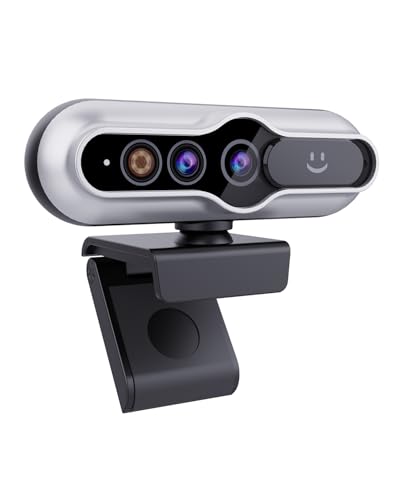
Best Value: MOERTEK 2K HD Webcam with Infrared Windows Hello
The MOERTEK 2K HD Webcam with Infrared Windows Hello pairs Windows Hello facial recognition with a listed 5MP sensor that supports QHD 2K video at 30 fps. Its 84-degree field of view and 360-degree horizontal rotation give you options for positioning it on a monitor, flat surface, or tripod. The listing says a tripod is not included. Browse more webcam options if you want to compare other camera styles.
Reasons to buy:
- Supports Windows Hello facial recognition and QHD 2K video.
- Includes a built-in privacy cover and noise-reduction microphone.
- Offers 360-degree horizontal rotation and an 84-degree field of view.
Reasons to avoid:
- The listing specifies 30 fps, not 60 fps, so it may not suit buyers who prioritize a higher frame rate.
- A tripod is not included, despite tripod mounting being supported.
Skip it if you need 4K capture or a 60 fps video mode.
See the broader Cameras category for other camera types.
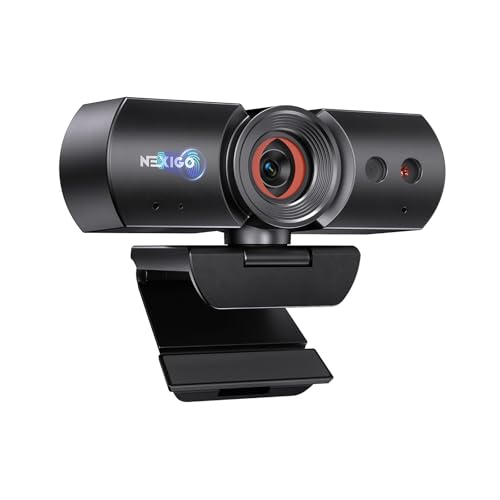
Best for Automatic Privacy: NexiGo HelloCam, 1080P Webcam with Windows Hello
The NexiGo HelloCam, 1080P Webcam with Windows Hello is a full HD option for Windows 10 and 11, with an electronic cover that the listing says opens when a video call starts and closes when it ends. Its 2-megapixel sensor records up to 1080p at 30 fps, while automatic exposure adjusts image exposure and gain for the available light. This combination suits everyday calls if you value an automatically operated cover over manual shutter control.
Reasons to buy:
- Supports Windows Hello on Windows 10 and 11.
- Uses an automatic electronic privacy cover for calls.
- Includes noise-canceling microphones and automatic exposure.
Reasons to avoid:
- Video tops out at 1080p and 30 fps according to the listing.
- The fixed 3.5mm lens is described as optimized for distances of 12.4 to 47.2 inches, so check your camera placement.
Skip it if you want 4K video or a 60 fps mode.
Best for 4K Autofocus: TOALLIN 4K Webcam for PC
The TOALLIN 4K Webcam for PC combines Windows Hello-compatible infrared facial recognition with a 4K sensor and listed 4K video at 30 fps. Autofocus can suit calls or streams where you move around, and its 83-degree field of view provides a wider frame than a narrow head-and-shoulders view. The listing also specifies a physical sliding privacy shutter and a noise-reduction microphone.
Reasons to buy:
- Offers 4K video at 30 fps alongside Windows Hello compatibility.
- Includes autofocus and 3D digital noise reduction for video.
- Has a physical sliding shutter and an 83-degree field of view.
Reasons to avoid:
- The listing specifies 30 fps at 4K, not 60 fps.
- Although USB and USB-C use are mentioned, verify which cable or adapter your computer needs before ordering.
Skip it if you need a documented 60 fps mode or adjustable field-of-view presets.
Best for Adjustable Framing: Lenovo HD 1080p Webcam (510 FHD)
The Lenovo HD 1080p Webcam (510 FHD) suits users who need to reposition their view during calls. Its 95-degree lens, 360-degree pan and tilt, and 4X digital zoom give you several framing adjustments, while Windows Hello support handles sign-in. The listing also specifies dual microphones, a sliding privacy shutter, and a 1.8-meter cable.
Reasons to buy:
- Provides a 95-degree field of view, 360-degree rotation, and 4X digital zoom.
- Supports Windows Hello and includes a sliding privacy shutter.
- Works with Windows and Mac devices through USB 2.0, according to the listing.
Reasons to avoid:
- Video resolution is 1080p, so it does not match the 4K choices here.
- Digital zoom crops the image, so it may not be the right choice if you need higher-resolution capture when zoomed.
Skip it if you want a 4K webcam or prefer a narrower, fixed view.
Best for Platform Flexibility: Logitech Brio Ultra 4K HD Webcam for Streaming
The Logitech Brio Ultra 4K HD Webcam for Streaming is the most feature-rich option in this selection for buyers who want adjustable framing and broad operating-system support. It records up to 4K at 30 fps, supports Windows Hello through optical and infrared sensors, and offers three diagonal field-of-view presets: 65, 78, and 90 degrees. Its listing names Windows, Mac, and ChromeOS compatibility, plus a flip-up attachable privacy shade.
Reasons to buy:
- Combines Windows Hello support with 4K video at 30 fps.
- Offers three field-of-view presets, autofocus, and 5x digital zoom.
- Lists Windows, Mac, and ChromeOS compatibility and dual microphones.
Reasons to avoid:
- The privacy shade attaches to the webcam rather than sliding over the lens.
- Its 4K mode is listed at 30 fps, and its more extensive controls may be unnecessary for simple calls.
Skip it if you want a simpler 1080p webcam for sign-in and routine meetings.
Also Considered
The smartphone tripod guide covers a related camera-support use case. For Windows Hello webcams, these remaining models may also fit specific needs: the webcam category includes alternatives worth comparing.
The Lenovo Performance FHD 1080p Webcam USB-C,Log-on could suit buyers who want a 95-degree lens, 4X digital zoom, dual microphones, and a sliding shutter; it missed the main list because the published description specifies 1080p at 30 fps and an IR mode of 352 x 352 at 15 fps.
The NexiGo HelloCam Pro, Webcam with Windows Hello may suit users who prioritize 1080p video at 60 fps and an automatic privacy cover, but its listed video resolution is lower than the 4K alternatives.
The 4K Webcam with Windows Hello, Facial Recognition could suit buyers seeking 4K capture, an 83-degree view, and a sliding shutter; the published details do not specify autofocus or a video frame rate.
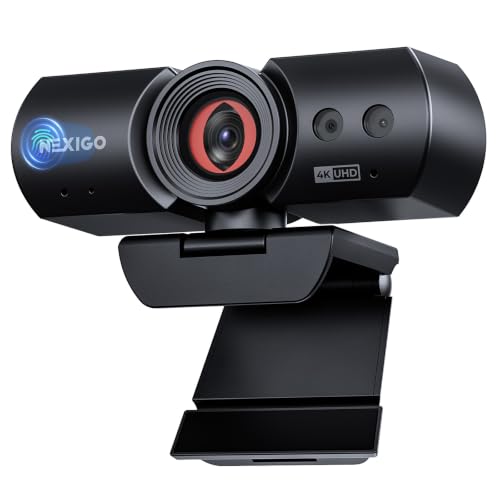
The NexiGo HelloCam Ultra, 4K Webcam with Windows lists 4K video, 1080p at 60 fps, an automatic electronic shutter with manual lock, and Windows Hello support on Windows 10 and 11. It missed the main picks because the published description makes broad compatibility claims that buyers should verify for their particular setup.
How to Choose a Webcam for Windows Hello
Confirm Windows Hello support and operating system
Windows Hello face sign-in needs compatible facial-recognition hardware, not merely a standard webcam. Check the listing for explicit Windows Hello support and the supported Windows versions. The MOERTEK and Lenovo 510 listings describe Windows Hello support, while some models state Windows 10 and 11 specifically. If you plan to use the webcam with Mac or ChromeOS as well, treat that as separate camera compatibility, not Windows Hello sign-in support.
Match resolution and frame rate to your tasks
For routine meetings, 1080p may be sufficient; 4K can provide more image detail, but the listing alone cannot establish how good the picture will look in your room. Check both resolution and frame rate, since they are separate specifications. Several 4K models list 30 fps, while the NexiGo HelloCam Pro lists 1080p at 60 fps. Choose based on whether you value higher resolution or smoother motion more.
Choose a field of view that fits your desk
A wide field of view can include more of a room, but may show more background than you want in a one-person call. The Lenovo 510 lists a 95-degree view, while the TOALLIN lists 83 degrees. Logitech Brio offers selectable 65-, 78-, and 90-degree diagonal presets, which can help if you switch between close framing and showing more space. Check whether a listing uses diagonal or another field-of-view measurement before comparing numbers directly.
Decide between automatic and physical privacy covers
An automatic electronic shutter can open and close as calls begin and end, as described for the NexiGo HelloCam models. A physical sliding cover, such as those listed for the MOERTEK, TOALLIN, and Lenovo webcams, lets you block the lens directly. Consider which operation you prefer and verify whether a model has a manual lock or only an automatic cover. Do not assume that an electronic shutter behaves exactly like a physical barrier.
Check connection, mounting, and microphone details
Confirm the connector works with your computer and whether the supplied cable or adapter matches the ports available. USB-C is a connector type, not proof of a particular data speed or feature set. Mounting also affects daily use: the MOERTEK listing describes monitor, flat-surface, and tripod placement, while the Lenovo 510 includes a tripod-ready universal clip. Built-in microphones can help with basic calls, but check the stated pickup distance and consider a separate microphone if audio is a priority.
How We Compared
We compared the published product specifications and descriptions, focusing on Windows Hello support, operating-system notes, video resolution and frame rate, field of view, privacy-cover design, microphone details, connections, and mounting options. Product claims are presented as listing specifications rather than independently verified results. The published ratings show no review totals, so this guide does not infer customer consensus from them.
Frequently Asked Questions
Will any USB webcam work with Windows Hello?
No. Check that the webcam explicitly lists Windows Hello facial-recognition support. A webcam may work for video calls without supporting Windows Hello sign-in. Also confirm the supported Windows version in the product details.
Do these webcams support Windows Hello on Mac?
Windows Hello is a Windows sign-in feature, so Mac compatibility for video calls does not mean Windows Hello works on a Mac. Logitech lists Windows, Mac, and ChromeOS support for webcam use, while its Windows Hello support applies to compatible Windows PCs.
Is a 4K webcam better than a 1080p model for calls?
Not automatically. A 4K sensor provides a higher listed resolution, but lighting, framing, and the video service also affect what viewers see. If smooth motion matters more, compare frame rates: the NexiGo HelloCam Pro lists 1080p at 60 fps, while several 4K choices list 30 fps.
What is the difference between an electronic shutter and a sliding cover?
An electronic shutter operates automatically on models that describe automatic opening and closing during calls. A sliding cover is manually moved across the lens. Check the product description for a manual lock if you want control beyond automatic operation, and do not treat the two designs as interchangeable.
Do I need to install drivers to use these webcams?
Some listings describe plug-and-play operation, including the MOERTEK and TOALLIN models. That does not guarantee identical setup on every computer or calling app. Check the webcam’s supported operating systems, connector, and any setup notes before buying.
Can a webcam’s built-in microphone replace a headset?
It may be adequate for straightforward calls, and several models list noise-reduction or dual microphones. Results depend on your room and distance from the camera. If you need more control over voice pickup, check the stated microphone details and consider using a separate audio device.


Write Your Review
No reviews yet. Be the first to share your experience!