

Ring vs. Nest doorbell comes down to a practical choice: Ring’s listed options use rechargeable batteries, while the Nest models here are wired. Video features and smart home compatibility also differ, so the right pick depends on your existing devices and how you want to power your doorbell.
The products below include Ring battery models and Google Nest wired models, including two generations of Nest Doorbell. Check app compatibility and installation needs before choosing, especially if you want to keep an existing chime or use a particular smart home app.
Quick Verdict
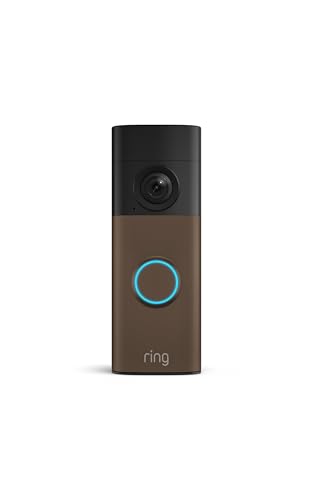
Choose Ring’s battery doorbells if you want to avoid connecting a wired doorbell and prefer Alexa integration. The <a href="Ring Battery Doorbell 2K Plus (newest model) adds color night vision and a removable Quick Release Battery Pack, while the standard 2K models have a built-in battery.
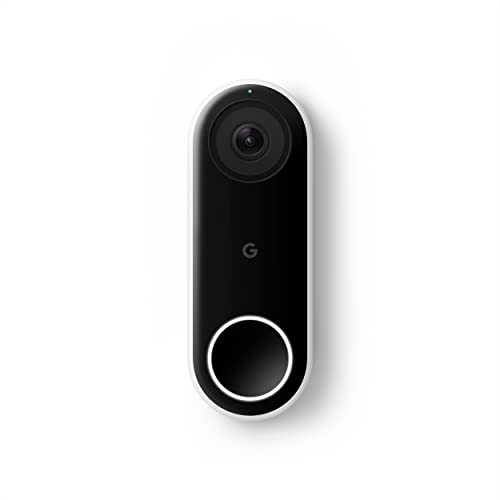
Choose a wired Nest model if you have compatible doorbell wiring and want continuous power. The newer <a href="Google Nest Doorbell (Wired, 3rd Gen) – 2K Video lists 2K HDR video and Google Home compatibility; the older <a href="Google Nest Doorbell (Wired) uses the Nest app, not the Google Home app.
Pros
- Built-in rechargeable battery
- Two-Way Talk and Live View
- Up to 6x Enhanced Zoom
- Works with select Alexa devices
Cons
- USB-C cable not included
- Skip if you need subscription-free video history or AI alerts


Pros
- 2K HDR video
- Color night vision
- Wired power
- 166-degree field of view
Cons
- Gemini features require a subscription
- Skip it if you need battery power

Pros
- Wide-angle 2K video
- Up to 6x Enhanced Zoom
- Two-way talk and motion alerts
- Removable, rechargeable battery
Cons
- USB-C cable not included
- Recorded-event playback requires separate subscription
- Who should skip it: Those who want subscription-free recorded-event playback
Pros
- Person alerts without a doorbell press
- HDR video with night vision
- Two-way audio and prerecorded messages
Cons
- Requires Nest app, not Google Home app
- Chime sold separately
- Who should skip it: Google Home app users

Pros
- 2K HDR video
- 166° field of view
- No battery recharging or replacement
- Two-way audio
Cons
- Gemini features require Google Home Premium
- Who should skip it: shoppers avoiding subscription-dependent features
Ring vs. Nest Doorbell: Key Differences
Power and installation
All three Ring listings describe battery-powered doorbells. The standard Ring Battery Doorbell 2K has a built-in battery that detaches for USB-C charging; the listing says the cable is not included. The Ring Battery Doorbell 2K Plus uses a removable Quick Release Battery Pack. These options suit homes where adding doorbell wiring is inconvenient, but you will need to recharge the battery.
Both Nest generations in this selection are wired, so they do not need battery recharging. That makes them a better fit when compatible wiring is already available. Confirm your existing wiring and installation requirements before ordering; published details do not establish compatibility with every chime or wiring setup.
Video and night viewing
The Ring Battery Doorbell 2K and 2K Plus specify Retinal 2K video and up to 6x Enhanced Zoom. The Plus also lists night vision that stays in color in low light and switches to black and white in total darkness. The standard model’s published details do not specify night vision, so verify that feature if it matters to you.
The 3rd Gen Nest Doorbell specifies 2K HDR video, color night vision, and a 166-degree field of view. The older Nest Doorbell (Wired) lists HDR video, night vision, and a 4:3 image ratio intended to show visitors and packages near the ground. The listing information does not give an equivalent zoom figure for Nest, so do not assume the models offer the same close-up detail.
Apps and smart home compatibility
The standard Ring Battery Doorbell 2K lists Alexa compatibility, including notifications on Echo Dot and video access on Echo Show. The Ring 2K Plus listing does not specify the same Alexa details, so confirm compatibility for that exact model if voice-assistant integration is essential. Ring Protect is sold separately for video history and AI-powered alerts.
The 3rd Gen Nest models list Google Home compatibility and Gemini features, with Gemini features requiring a Google Home Premium subscription. The older Nest Doorbell (Wired) requires the Nest app and is not compatible with the Google Home app. If your home already relies on Google devices, compare app requirements carefully; related Google smart home hub options may also help you plan your setup.
Alerts, recording, and subscriptions
Ring listings describe real-time motion alerts and say a Ring Protect subscription is needed for features such as reviewing video history and AI-powered alerts. The 3rd Gen Nest lists intelligent alerts, while detailed descriptions and event summaries require an Advanced Google Home Premium subscription. The older Nest lists person alerts and a three-hour snapshot history; Nest Aware is sold separately for package detection and additional intelligent alerts.
Compare subscription terms and the recording features included without a plan before you buy. The published product details do not fully specify every plan tier, recording duration, or feature limitation.
Security and privacy details
The 3rd Gen Nest listing specifies encrypted video, two-step verification, and a green LED indicator when the doorbell is processing or streaming. Comparable security details are not supplied for the Ring models or the older Nest model, so check current manufacturer information if these features are central to your choice. For broader ecosystem planning, see our guide to smart home hubs without a subscription.
Which Should You Buy?
Choose Ring for battery-powered installation. The standard Ring Battery Doorbell 2K offers a built-in rechargeable battery and Alexa support. Its pros are flexible placement and listed 2K video with zoom; its cons are recharging and a separately sold subscription for video history and AI alerts. Who should skip it: buyers who want a wired camera that never needs battery charging.
Choose the Ring 2K Plus for specified low-light color viewing. Its removable battery pack and listed night vision are useful if you want to recharge the pack separately and see color in low light. The trade-off is that it still needs recharging, and Ring Protect features cost extra. Who should skip it: buyers who prefer continuous wired power or Google Home integration.
Choose 3rd Gen Nest for wired Google Home use. It lists 2K HDR, a 166-degree field of view, and color night vision. Its pros include continuous wired power and stated security features; its cons include wiring needs and subscription requirements for Gemini features. Who should skip it: renters or anyone without compatible doorbell wiring.
Choose the older Nest Doorbell (Wired) only if its app setup fits your home. It lists person alerts, 24/7 streaming, and three-hour snapshot history, but requires the Nest app rather than Google Home. Who should skip it: buyers who need Google Home app compatibility or the newer model’s listed 2K HDR video.
The two Ring Battery Doorbell 2K listings have the same published feature set and differ in listed color: Matte Mocha for <a href="Ring Battery Doorbell 2K (newest model) and Speckled Gray for <a href="Ring Battery Doorbell 2K (newest model). The two 3rd Gen Nest listings likewise describe the same features, with Snow and Linen finishes: <a href="Google Nest Doorbell (Wired, 3rd Gen) – 2K Video is the Linen option. Choose by finish only after confirming the model and app requirements.
How We Compared
We compared the published product listings, including stated power sources, video features, app compatibility, subscription notes, alerts, and security details. The listings provide limited information about wiring compatibility, subscription pricing, and some model-specific features, so verify those points with the manufacturer before purchase.
Frequently Asked Questions
Do Ring and Nest doorbells use the same app?
No. The supplied Ring listings describe Ring features and Alexa compatibility. The 3rd Gen Nest lists Google Home, while the older wired Nest specifically requires the Nest app and is not compatible with the Google Home app.
Which models need battery recharging?
The Ring models are battery-powered and need recharging. The standard 2K model has a built-in battery that detaches for USB-C charging, while the 2K Plus has a removable Quick Release Battery Pack. The Nest models in this guide are wired and do not need battery recharging.
Do these doorbells record video without a subscription?
Subscription features differ by model. Ring lists video history and AI-powered alerts with a compatible Ring Protect subscription. The newer Nest lists advanced descriptions and summaries with Google Home Premium, while the older Nest lists a three-hour snapshot history and additional alerts with Nest Aware. Check current plan details for exact recording access.
Which doorbell has the widest listed field of view?
The 3rd Gen Nest listing specifies a 166-degree field of view. The supplied Ring details describe wide-angle video but do not provide a field-of-view measurement, so a direct numerical comparison is not available.
Can I use the older Nest Doorbell with Google Home?
The published listing says the older Google Nest Doorbell (Wired) requires the Nest app and is not compatible with the Google Home app. Check current Google support information if app access is a deciding factor.






Write Your Review
No reviews yet. Be the first to share your experience!