

A drive that looks fast on paper may not be the right upgrade if your computer uses an older PCIe slot, has limited M.2 space, or needs more capacity than speed. This guide to the Best Black Friday NVMe SSD Deals compares PCIe 4.0 and PCIe 5.0 options, compact and large capacities, and models with heatsinks so you can narrow the field to your setup and workload.
Before buying, check your device’s M.2 requirements and whether it already has a heatsink. The recommendations below cover drives for everyday upgrades, gaming, and large media libraries, with the key compromises called out.

Pros
- PCIe 4.0 interface
- Compact M.2 2280 form factor
- Dashboard software for monitoring and updates
Cons
- 500GB may be tight for large media libraries
- Who should skip it: buyers needing more than 500GB

Pros
- 1TB NVMe storage
- Up to 6,000 MB/s rated read speed
- Acronis cloning software included
Cons
- Who should skip it: buyers needing rated speeds above 6,000 MB/s

Pros
- 2TB storage capacity
- PCIe 4.0 interface
- High rated sequential speeds
- Drive monitoring through SANDISK Dashboard
Cons
- Who should skip it: buyers whose systems lack compatible M.2 2280 PCIe 4.0 support
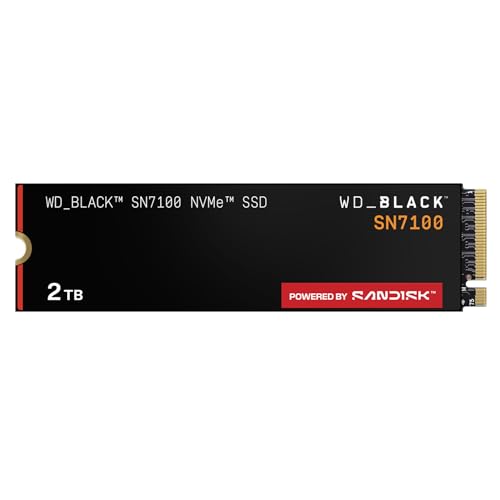
Pros
- 2TB capacity
- Compact M.2 2280 format
- High rated read and write speeds
Cons
- Replaced by a newer generation; skip if you want the latest model
- WD_BLACK Dashboard is for Windows only

Pros
- Fast rated PCIe 4.0 speeds
- 1TB storage capacity
- Listed for PC, laptop, and PS5 use
- Five-year limited warranty
Cons
- Who should skip it: buyers needing a clearly stated endurance limit

Pros
- PCIe Gen4 interface
- Compact M.2 2280 format
- Designed for laptops and handheld gaming devices
Cons
- 500GB capacity may not suit large game libraries
- Who should skip it: buyers whose devices do not support M.2 2280

Pros
- Large 4TB capacity
- High manufacturer-rated read and write speeds
- Compact M.2 2280 format
Cons
- Superseded by a newer generation
- Skip it if you want Sandisk's latest generation

Pros
- Large 8TB capacity
- Heatsink included
- Windows drive-health monitoring
Cons
- Replaced by a newer generation
- Who should skip it: shoppers seeking the latest generation
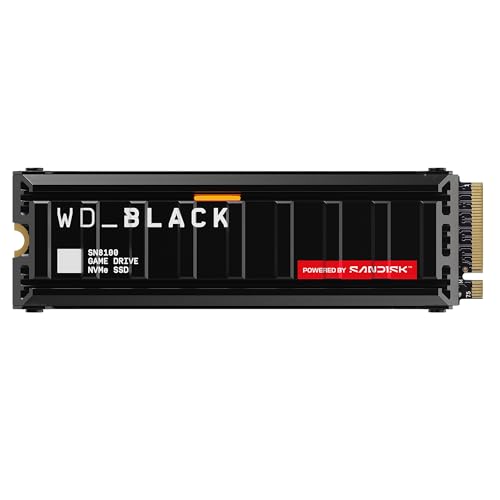
Pros
- Integrated fanless heatsink
- Up to 14,900MB/s rated read speed
- Customizable RGB lighting
Cons
- Superseded by SANDISK Optimus GX PRO 8100
- Skip it if you want the latest generation
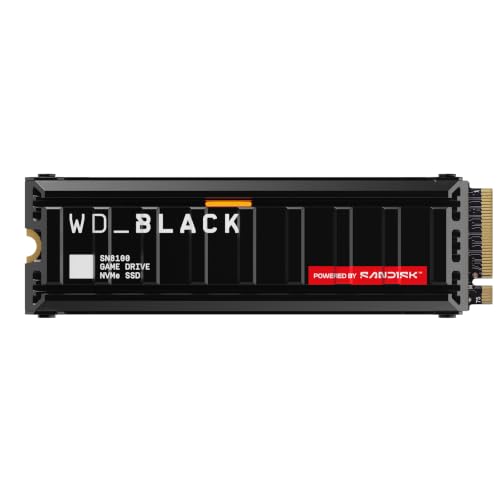
Pros
- Large 8TB capacity
- Built-in fanless heatsink
- Manufacturer-rated high sequential read speed
Cons
- Replaced by a newer SANDISK Optimus GX PRO 8100
- Who should skip it: shoppers seeking the latest generation
The Best NVMe SSDs by Use Case
Best for a Compact Everyday Upgrade: SANDISK Optimus 5100 500GB NVMe SSD, PCIe 4.0
The 500GB SANDISK Optimus 5100 is a PCIe 4.0 M.2 2280 drive for a system that needs a responsive boot and application drive without moving to a larger capacity. SANDISK advertises read speeds up to 6,600MB/s and write speeds up to 5,600MB/s for this capacity. Its power-efficient design may also suit a laptop upgrade, provided the laptop accepts an M.2 2280 NVMe drive. Our gaming monitor comparison can help round out a PC upgrade.
Reasons to buy:
- PCIe 4.0 speeds suit operating systems, applications, and everyday file work.
- The 500GB capacity can fit a focused boot-drive upgrade.
- SANDISK Dashboard supports drive monitoring and updates.
Reasons to avoid:
- 500GB leaves less room for a large game collection or extensive video files.
- Confirm your device supports the M.2 2280 NVMe format before ordering.
Skip it if you want one drive for a large library of games or creative projects.
Best for a 1TB PC Upgrade: Kingston NV3 1TB M.2 2280 NVMe SSD
The Kingston NV3 offers 1TB of PCIe 4.0 storage in the common M.2 2280 form factor. Kingston rates it for sequential reads up to 6,000MB/s and writes up to 4,000MB/s, giving buyers a practical capacity and speed combination for everyday computing and a moderate game library. Acronis cloning software is included, which may be useful when moving an existing system to the new drive.
Reasons to buy:
- 1TB gives more working room than the 500GB choices in this guide.
- PCIe 4.0 Gen 4×4 and M.2 2280 fit many desktop and laptop upgrade plans.
- Acronis cloning software and a five-year limited warranty are specified.
Reasons to avoid:
- Its listed sequential write ceiling is lower than the faster drives featured here.
- Check your system’s supported drive size and whether you need a separate heatsink.
Skip it if your main priority is the highest sequential read and write performance in this group.
Best for a 2TB Gaming Drive: WD_Black SN7100 2TB NVMe SSD – Gen4 PCIe
The 2TB WD_Black SN7100 combines PCIe Gen4 with TLC 3D NAND and is designed with laptops and handheld gaming devices in mind. SANDISK advertises read speeds up to 7,250MB/s and write speeds up to 6,900MB/s for the 1TB and 2TB models. Its capacity provides space for a substantial game collection, while its M.2 2280 format means you should verify that your handheld or laptop accepts that length and drive type.
Reasons to buy:
- 2TB capacity is suited to installing several large games alongside applications.
- TLC 3D NAND and PCIe Gen4 are specified for this gaming-oriented line.
- The manufacturer highlights power efficiency for laptops and handhelds.
Reasons to avoid:
- This model is noted as replaced by a newer generation, so compare current alternatives before settling on it.
- WD_BLACK Dashboard is for Windows, which may limit its usefulness for users on other operating systems.
Skip it if you need an included heatsink or want a drive specifically built around PCIe 5.0.
Best for a PS5-Compatible Capacity Upgrade: SUNEAST 1TB Internal SSD M.2 PCIe Gen4.0 NVMe
SUNEAST describes this 1TB PCIe 4.0 M.2 NVMe drive as compatible with PCs, laptops, and gaming consoles such as PS5. It advertises read speeds up to 7,000MB/s and write speeds up to 6,000MB/s, and lists a five-year limited warranty with a 375TBW endurance limit. Console owners should check the console’s current installation requirements and cooling guidance before choosing a drive, rather than relying on speed figures alone.
Reasons to buy:
- The manufacturer explicitly names PS5 among the compatible device types.
- 1TB adds room for game installations without choosing a very large-capacity drive.
- The stated warranty and endurance limit provide specific ownership terms to review.
Reasons to avoid:
- The 375TBW limit is the applicable endurance figure in the product details, not the higher 750TBW figure also mentioned there.
- Confirm whether your console installation calls for a heatsink, as this model’s name does not identify one.
Skip it if you need more than 1TB or want a heatsink included with the drive.
Best for a High-Capacity PCIe 5.0 Build: WD_Black SN8100 8TB NVMe SSD with Heatsink
The 8TB WD_Black SN8100 pairs a large capacity with a PCIe 5.0×4 interface and an included heatsink. SANDISK advertises sequential reads up to 14,900MB/s and writes up to 14,000MB/s for the SN8100 line, though the stated maximum write speed is associated with 2TB to 4TB models, so buyers should not assume that exact figure for this 8TB version. The large drive is aimed at systems handling extensive game libraries, AI applications, or video editing, where both capacity and a compatible PCIe 5.0 platform matter.
Reasons to buy:
- 8TB can hold a large active collection of games or substantial media files.
- PCIe 5.0×4 targets systems built to use the newer interface.
- The heatsink is integrated, with RGB lighting described by the manufacturer.
Reasons to avoid:
- PCIe 5.0 speed benefits depend on having a compatible motherboard and workload.
- The heatsink may conflict with a motherboard cover or a space-constrained system, so check clearance.
Skip it if you only need a modest boot drive or your computer does not support PCIe 5.0 NVMe storage.
Also Considered
The 2TB gaming network guide is a separate upgrade, while these remaining drives may suit narrower storage needs: the WD_Black SN7100 500GB NVMe SSD – Gen4 PCIe is a compact gaming-drive option, but its smaller capacity makes it less flexible as a library drive. The WD_BLACK SN850X 4TB NVMe SSD – M.2 2280 could suit a PCIe 4.0 gaming PC needing more space, though its manufacturer notes that it has been replaced by a newer generation. The WD_Black SN850X 8TB NVMe SSD with Heatsink offers a large PCIe 4.0 capacity, but its heatsink and large format call for careful fit checks. The WD_Black SN8100 1TB NVMe SSD with Heatsink brings PCIe 5.0 and an included heatsink to a smaller capacity, but its value depends on whether your system can use the newer interface.
How to Choose the Best Black Friday NVMe SSD Deals
Confirm the M.2 type and PCIe generation
NVMe describes a storage protocol, while M.2 describes a physical form factor. A drive can fit the M.2 slot but still not match the interface your computer supports. Check the motherboard or device manual for the supported M.2 length, NVMe support, and PCIe generation before comparing advertised sequential speeds. A PCIe 5.0 drive such as the SN8100 is intended for a compatible PCIe 5.0 setup; in an older system, the advertised peak speed may not be available.
Choose capacity around the files you keep installed
A 500GB model can be a focused operating-system and application drive, while 1TB or 2TB offers more space for games and ongoing projects. If you edit video or prefer to keep a large library installed, an 8TB drive has a clear capacity advantage, but it may be unnecessary for a typical everyday PC. Remember that usable space is lower than the advertised capacity after formatting and system use.
Read speed figures in context
Sequential read and write figures describe large, continuous data transfers and are manufacturer claims, not a guarantee that every task will feel proportionally faster. Booting a computer, opening applications, and loading games also depend on the system and workload. For a gaming upgrade, capacity and device compatibility may be more useful decision points than choosing the highest advertised number. If your work involves frequent large transfers, compare both read and write specifications and note which capacities they apply to.
Check cooling and physical clearance
Some products in this guide include a heatsink, while others are listed without one. A motherboard may have its own M.2 cover, and a console or laptop can have specific space and cooling requirements. Check the manufacturer’s installation guidance and measure the available clearance before buying a heatsink-equipped drive. For a PS5, follow the console maker’s current requirements for drive dimensions and heat dissipation.
Compare endurance and warranty terms
Warranty length and TBW ratings can help you compare the stated coverage and write endurance of drives, but those figures are not interchangeable. Kingston lists a five-year limited warranty for its NV3; SUNEAST specifies a five-year limited warranty or 375TBW, whichever comes first. Check the exact model’s warranty conditions and endurance rating, especially if you regularly write large video files or use the drive for frequent data transfers.
How We Compared
We compared the manufacturer and retailer information for the listed drives, focusing on interface, capacity, advertised read and write speeds, heatsink details, intended device types, and stated warranty or endurance terms. Recommendations reflect how those features align with common upgrade needs, including gaming, laptop storage, console expansion, and large file libraries. Where a speed claim applies only to certain capacities, the guide keeps that distinction visible rather than treating every version as identical.
Frequently Asked Questions
Will a PCIe 4.0 NVMe SSD work in a PCIe 5.0 slot?
Many newer systems support earlier PCIe generations, but compatibility depends on the motherboard or device. Consult its manual for supported M.2 NVMe drives and slot behavior. A PCIe 4.0 SSD will not deliver PCIe 5.0 speeds simply because it is installed in a newer slot.
Does a faster NVMe drive make games load twice as fast?
Not necessarily. Advertised sequential speeds are not a direct prediction of game loading time, which depends on the game, computer, and other system components. Compare capacity, compatibility, and the manufacturer’s speed claims together instead of expecting a fixed improvement from a larger number.
Should I choose a drive with a heatsink?
That depends on your system’s cooling design and available space. A built-in heatsink can be convenient when the device calls for one, but it may conflict with a motherboard cover or a tight enclosure. Check the system manual and the drive’s physical clearance requirements first.
Is a 500GB NVMe SSD enough for a gaming PC?
It can work as a boot drive or for a small selection of games, but the available room can fill quickly if you keep many large titles installed. Consider 1TB or 2TB if you want more space for games, applications, and personal files without frequently moving them elsewhere.
Can I use any M.2 NVMe SSD in a PS5?
No. Check the console maker’s current requirements for supported drive type, dimensions, capacity, and heat dissipation. SUNEAST names PS5 compatibility for its 1TB model, but you should still confirm that the exact drive and any heatsink arrangement meet your console’s installation guidance.
What does a TBW rating tell me?
TBW, or terabytes written, is a stated measure of write endurance. It is useful when comparing drives that will handle frequent large writes, but it does not replace the warranty terms. Read both figures and check whether warranty coverage ends at a time limit, an endurance limit, or whichever condition comes first.






Write Your Review
No reviews yet. Be the first to share your experience!