

A large screen and a fast refresh rate can make games feel more immersive, but those labels do not tell the whole story. The best TV for gaming under $1000 depends on your room, the games you play, and whether the listing confirms the connections and gaming features your console or PC needs.
This guide compares four 75- and 85-inch Mini LED TVs, including their stated refresh rates, HDR formats, and smart platforms. It also points out details the published listings do not confirm, so you can check those before choosing a screen for your setup.

Pros
- 85-inch 4K screen
- 144Hz native refresh rate
- Multiple HDR formats supported
- Google TV with Gemini
Cons
- Who should skip it: shoppers with limited room for an 85-inch TV

Pros
- 85-inch screen with 4K resolution
- Mini LED dimming and HDR features
- Includes free streaming options
- Gaming Hub gathers multiple game sources
Cons
- Limited space: skip this 85-inch screen
Pros
- 144Hz native refresh rate
- Four major HDR formats supported
- Google TV with Gemini
- Mini LED local dimming
Cons
- HDMI version not specified
- Who should skip it: buyers needing confirmed HDMI details

Pros
- Native 144Hz refresh rate
- Four supported HDR formats
- Built-in subwoofer
- Fire TV with Alexa+
Cons
- Who should skip it: buyers needing confirmed HDMI version details
The Best TVs by Use Case
Best for a Large Gaming Room: TCL 85 Inch QM6K Series QLED Mini LED 4K HDR
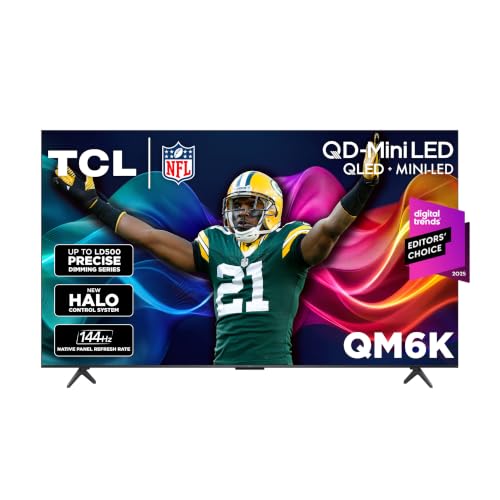
The TCL 85 Inch QM6K Series QLED Mini LED 4K HDR pairs an 85-inch 4K screen with a listed native 144Hz refresh rate, making it a strong fit when you want a large display and smooth motion. Its Mini LED backlighting, Quantum Dot color, and Dolby Vision, HDR10+, HDR10, and HLG support give you several picture features for games and streaming. Google TV provides the smart platform, while the listing also names IMAX Enhanced and Dolby Atmos.
Reasons to buy:- 85-inch screen suits a spacious room where you can sit at a comfortable viewing distance.
- Listed native 144Hz refresh rate targets smooth motion in fast games.
- Supports several HDR formats, including Dolby Vision and HDR10+.
- The listing does not specify HDMI port count, HDMI 2.1 support, variable refresh rate, or input lag. Confirm these details against your gaming device before purchase.
- An 85-inch screen may overwhelm a smaller room or viewing area.
Skip it if your room cannot accommodate an 85-inch TV or you need confirmed gaming connections that the listing does not identify.
Best Value: Samsung 85-Inch Class M70H Series, Mini LED, 4K
The Samsung 85-Inch Class M70H Series, Mini LED, 4K is the lowest-priced option in this comparison, while still offering an 85-inch Mini LED screen and 4K resolution. Samsung lists Motion Xcelerator with DLG 120Hz, a feature described for smoother motion in gaming and sports. Treat that specification as distinct from a stated native 120Hz panel: the published listing does not call the screen native 120Hz. Samsung TV Plus and more than 2,700 free streaming options may also appeal if you use the TV beyond gaming.
Reasons to buy:- Lowest listed price among these four choices, while retaining an 85-inch screen.
- Mini LED dimming and Mini LED HDR are listed for contrast and bright highlights.
- Samsung TV Plus adds free streaming channels without a subscription.
- DLG 120Hz is not the same specification as a confirmed native 120Hz refresh rate.
- The listing does not identify HDMI 2.1, variable refresh rate, HDR format support, or input lag.
Skip it if you need a confirmed native high-refresh-rate panel or specific console features that are not listed.
Best for a Smaller Viewing Area: TCL 75 Inch QM6K Series QLED Mini LED 4K HDR
The TCL 75 Inch QM6K Series QLED Mini LED 4K HDR keeps the QM6K feature set in a 75-inch size. Its stated native 144Hz refresh rate, Mini LED and Quantum Dot display, and broad HDR format support make it worth considering if you want those features but do not need an 85-inch screen. Google TV is the listed smart platform. The published product data does not specify gaming ports or variable refresh rate, so check those requirements separately.
Reasons to buy:- 75-inch size offers a less imposing option than the 85-inch models in this guide.
- Listed native 144Hz refresh rate supports a high-motion gaming use case.
- Dolby Vision, HDR10+, HDR10, and HLG support covers multiple HDR formats.
- The listing does not confirm HDMI 2.1, port count, variable refresh rate, or input lag.
- Choose the 85-inch QM6K instead if the larger screen better suits your room and viewing distance.
Skip it if you want the biggest screen available here or need gaming compatibility details confirmed before choosing.
Best for Bright Rooms: Hisense 75″ U6 Pro Series Mini-LED ULED 4K UHD HDR
The Hisense 75″ U6 Pro Series Mini-LED ULED 4K UHD HDR is the most clearly specified option here for reducing reflections: its listing describes the screen as anti-reflection and glare-free. It also specifies a native 144Hz refresh rate, Mini LED backlighting, and Dolby Vision IQ and Dolby Atmos. Fire TV and Alexa+ provide its listed smart platform and voice-assistant features. These claims make it an option for a bright room, although the listing does not provide a brightness measurement to compare with the other TVs.
Reasons to buy:- Anti-reflection and glare-free screen features are explicitly listed for bright spaces.
- Native 144Hz refresh rate is specified for gaming and fast motion.
- Built-in subwoofer is listed, along with Dolby Atmos support.
- The listing does not confirm HDMI 2.1, variable refresh rate, port count, or input lag.
- Its Fire TV platform may not suit you if you specifically want Google TV or Samsung TV Plus.
Skip it if your room is dim and glare reduction is not a priority, or if your setup depends on gaming connections not stated in the listing.
How to Choose the Best TV for Gaming Under $1000
Check screen size against your room
All four choices are large-screen TVs: two are 75 inches and two are 85 inches. A larger screen can make games feel more involving, but it also takes up more wall or stand space and may be uncomfortable if you sit close. Measure your intended space and consider your usual seating position before choosing. If you want a 75-inch model, compare the TCL and Hisense; if you have room for 85 inches, compare the two larger sets.
Understand the refresh-rate wording
The TCL QM6K models and Hisense U6 Pro listing specify native 144Hz refresh rates. Samsung lists Motion Xcelerator with DLG 120Hz, which is different wording and should not be treated as a confirmed native 120Hz panel. A higher refresh rate can be relevant when your game source outputs compatible high-frame-rate video, but it does not by itself establish input lag, variable refresh rate support, or the experience you will get from a particular console.
Check your console or PC output specifications, then look for matching details on the TV listing or manufacturer support page. If you play mostly slower-paced games or watch films, a headline refresh rate may matter less than screen size, HDR compatibility, and your room conditions.
Verify ports and gaming features
The published product information does not state HDMI port counts or confirm HDMI 2.1, variable refresh rate, or input lag for these models. Those omissions matter if you plan to connect a current-generation console, a gaming PC, or multiple devices. Before buying, verify the exact model and size on the manufacturer’s specification page, and check whether the particular HDMI ports support the resolution and refresh rate your device uses.
Do not assume that two TVs with a listed 144Hz refresh rate have identical gaming support. Refresh rate, supported input signals, and variable refresh rate are separate details. If you rely on a particular feature, confirm it for the exact model rather than inferring it from a general gaming label.
Match HDR support and room lighting
The TCL QM6K models list Dolby Vision, HDR10+, HDR10, and HLG. Hisense names Dolby Vision IQ and HDR10+ in its product title. The Samsung listing describes Mini LED HDR but does not name specific HDR formats in the published features. Check which formats your games and streaming services use, and confirm that the TV supports them if format compatibility is important to you.
Mini LED backlighting and local dimming are listed across these products, but the published information does not provide comparable brightness measurements. Hisense specifically describes an anti-reflection, glare-free screen, so it is the clearest stated option for a bright room. For more advice on a TV used in strong sunlight, see our guide to the best outdoor TV for arizona. That guide addresses outdoor use, which differs from choosing an indoor gaming screen.
Choose a smart platform and check audio needs
The two TCL TVs use Google TV, the Hisense uses Fire TV, and the Samsung includes Samsung TV Plus. Consider the platform you prefer for apps and navigation, but verify that your required apps are available for the exact model. The Samsung listing highlights free streaming content, while Hisense lists Alexa+ and TCL lists Google TV with Gemini.
Audio features differ too. TCL lists Dolby Atmos, and the Hisense listing names both Dolby Atmos and a built-in subwoofer; Samsung’s published features focus on picture and streaming. These descriptions do not provide a comparable audio-output specification, so check the TV’s full audio details if you plan to connect external speakers or a soundbar. For additional brand comparisons, browse our guides to Roku TVs and 55-inch TVs.
How We Compared
We compared the published product listings by screen size, resolution, display and backlight descriptions, stated refresh-rate wording, HDR format support, smart platform, and named audio features. The recommendations reflect those published details and the different needs they may serve. The supplied material includes ratings but reports zero reviews for each product, so it does not provide customer feedback that can support claims about recurring owner experiences. Important gaming details such as port configuration, variable refresh rate, and input lag are not specified consistently, and buyers should verify them for their intended console or PC.
Frequently Asked Questions
Are these TVs compatible with PlayStation, Xbox, or a gaming PC?
The published information does not confirm port counts or specific HDMI gaming features for any of the four models. Check the exact TV model’s manufacturer specifications against your console or PC output needs before purchase. A listed refresh rate alone does not confirm that every device can use that rate.
Is 144Hz automatically better for console gaming?
Not necessarily. The TCL QM6K and Hisense listing specify native 144Hz, but your console and game must support an output that can use the TV’s capabilities. The Samsung feature is described as DLG 120Hz, not a stated native 120Hz refresh rate. Confirm supported signals for both the TV and gaming device.
Which model is the better choice for a bright room?
The Hisense U6 Pro is the only model whose published listing explicitly describes an anti-reflection and glare-free display. That makes it the clearest match based on the information provided. The listings do not include comparable brightness measurements, so check independent specifications or manufacturer details if screen brightness is a deciding factor.
Should I choose a 75-inch or 85-inch TV?
Choose based on your room dimensions, viewing distance, and available stand or wall space. The 75-inch TCL and Hisense models take up less space than the 85-inch TCL and Samsung options. Measure the intended location and make sure the larger screen will be comfortable from your usual seat.
Do all four TVs support the same HDR formats?
No. The TCL models list Dolby Vision, HDR10+, HDR10, and HLG. Hisense names Dolby Vision IQ and HDR10+ in its title, while Samsung’s published feature list describes Mini LED HDR without naming specific formats. Verify format support for the exact model and compare it with the games and streaming services you use.
Which smart TV platform should I choose?
The TCL models use Google TV, the Hisense uses Fire TV, and Samsung highlights Samsung TV Plus. Your choice may depend on familiar navigation, voice features, and app availability. Check that the apps you rely on are supported on the exact TV before ordering.


Write Your Review
No reviews yet. Be the first to share your experience!