

Choosing between iPad Air and iPad Pro comes down to what you need from a tablet. The Air pairs an M4 chip with a Liquid Retina display, while the Pro adds an M5 chip, an Ultra Retina XDR display, and features such as Face ID and LiDAR.
Both lines offer 11-inch and 13-inch options, Wi-Fi 7 with Apple N1, Apple Intelligence, and support for Apple Pencil and Magic Keyboard models listed for their respective lines. The Pro makes more sense when its display and additional features serve your work. For everyday use, the Air may cover what you need.
Quick Verdict
Choose the Pro if you want its Ultra Retina XDR display, M5 chip, Face ID, and LiDAR Scanner. The tablet considerations for field work may also help you weigh screen size and task needs. Consider the Apple iPad Pro 11-inch (M5) for a compact Pro, or the Apple iPad Pro 13-inch (M5) for more screen area.
Choose the Air if you want M4 performance and Apple Intelligence without needing the Pro’s listed display and sensor features. The Apple iPad Air 11-inch (M4) is an 11-inch option, while the Apple iPad Air 13-inch (M4) offers a larger display. Check the individual listings for color and configuration details before choosing.

Pros
- M5 chip with Neural Accelerators
- 11-inch Ultra Retina XDR display
- Wi-Fi 7 connectivity
- Landscape 12MP Center Stage camera
Cons
- Skip if 256GB cannot fit your files

Pros
- Large 13-inch display with ProMotion
- M5 chip with Neural Accelerators
- Wi-Fi 7 connectivity
- Landscape 12MP Center Stage camera
Cons
- 256GB capacity may limit large local file libraries
- Who should skip it: buyers seeking a smaller, lighter tablet

Pros
- M4 chip
- Wi-Fi 7 connectivity
- 12MP Center Stage front camera
- Touch ID
Cons
- Who should skip it: buyers needing more than 128GB onboard

Pros
- M5 chip with Neural Accelerators
- 11-inch Ultra Retina XDR display
- Landscape 12MP Center Stage camera
- Wi-Fi 7 connectivity
Cons
- Skip if you need more than 256GB onboard storage
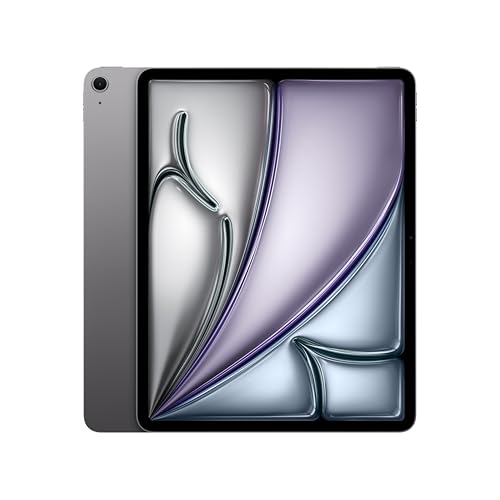
Pros
- Large 13-inch display
- M4 chip
- Wi-Fi 7 connectivity
- 12MP front and rear cameras
Cons
- Skip it if you need more than 128GB storage

Pros
- M4 chip
- 11-inch Liquid Retina display
- Wi-Fi 7 connectivity
- 12MP front and rear cameras
Cons
- 128GB may limit large app and media libraries
- Who should skip it: buyers needing more than 128GB
iPad Air vs iPad Pro: Key Differences
Display: Liquid Retina or Ultra Retina XDR
The Air uses a Liquid Retina display with P3 wide color, True Tone, and ultralow reflectivity. The Pro’s Ultra Retina XDR display adds extreme brightness, precise contrast, and ProMotion, according to the listings. That makes the Pro the more feature-rich choice for visually demanding work, while the Air still includes color and viewing features useful for reading, browsing, and creative tasks.
Both lines come in 11-inch and 13-inch sizes. Choose the smaller size when portability matters more, or the larger one when you want more screen space for documents and multitasking. The supplied details do not provide exact dimensions or weights, so compare those specifications if they are important to your bag or desk setup.
Chip and demanding workloads
The Air has an M4 chip; the Pro has an M5 chip with Neural Accelerators, according to the product listings. Both are described as supporting Apple Intelligence and multitasking. The Pro’s listed chip and memory ceiling may appeal if your work uses demanding creative or AI features, but the supplied information does not include benchmark results. For common browsing, video calls, note-taking, and document work, the Air’s listed capabilities may be sufficient.
The Pro listing specifies up to 2TB of storage and 16GB of memory. The Air listing specifies storage options up to 1TB, but does not provide a memory figure. The individual products in this comparison list 256GB Pro or 128GB Air storage. Pick capacity based on the apps and files you keep locally; neither supplied listing specifies expandable storage.
Authentication, cameras, and sensors
The Pro uses Face ID and includes a LiDAR Scanner. Its listed cameras are a landscape 12MP Center Stage front camera and a 12MP Wide rear camera with adaptive True Tone flash. It also lists four microphones and a four-speaker audio system. These extras may matter for video calls, spatial workflows, or recording, but the product details do not establish image quality in real-world conditions.
The Air uses Touch ID and has a 12MP Center Stage front camera and a 12MP Wide rear camera. It supports video calls, document scanning, and 4K video capture according to the listing. Choose between Face ID and Touch ID based on your preferred unlock method; do not assume either tablet’s camera will produce better results from megapixel count alone.
Storage, accessories, and connectivity
Both lines list Wi-Fi 7 with Apple N1. The Air and Pro listings name Apple Pencil Pro, Apple Pencil (USB-C), and Magic Keyboard support for their respective lines. Confirm that any accessory you plan to use matches the exact iPad model and size. The supplied information does not specify cellular connectivity or port data speeds, so verify those details if you need mobile internet or a particular wired connection.
Battery and software
Both product lines claim all-day battery life, but the listings do not provide a measured runtime or battery capacity. Actual use varies with apps, screen brightness, and wireless activity, so do not treat the phrase as a guaranteed number of hours. Both descriptions refer to iPadOS and Apple Intelligence; the Pro listing specifically names iPadOS 26. Check current software support and feature availability before purchase if a particular function matters.
Which Should You Buy?
For drawing and handwritten notes: Either line lists support for Apple Pencil Pro and Apple Pencil (USB-C). The Air may suit you if its display features meet your needs. Explore our guides to tablets for handwritten notes with a stylus and tablets with pen support for more selection advice.
For a portable everyday tablet: Consider an 11-inch Air if you want the smaller listed display size and do not need the Pro’s XDR display or LiDAR Scanner. The 11-inch Pro suits you if those Pro features matter more than keeping the choice simple.
For a larger workspace: Compare the 13-inch Air and 13-inch Pro. The Air gives you the larger Liquid Retina display with the M4 chip; the Pro adds XDR display features and the M5 chip. Choose based on whether those Pro additions support tasks you actually do.
For advanced visual or sensor-based workflows: The Pro is the more appropriate fit on listed features, thanks to its Ultra Retina XDR display, LiDAR Scanner, and adaptive True Tone flash. Who should skip it: buyers who do not need those additions and would rather choose the Air’s M4 chip and Liquid Retina display.
For storage-heavy use: The Pro line lists options up to 2TB, compared with up to 1TB for the Air. Who should skip the Air: buyers who need more than its listed maximum storage. Check the exact capacity of the model you intend to order.
For more tablet comparisons, browse our tablet buying guides or recommendations for drawing tablets.
How We Compared
We compared the supplied product listings for display technology and size, chip, listed storage, cameras, authentication, connectivity, accessory support, and battery-life claims. The listings include no customer review text or verified performance measurements, so this guide does not treat ratings or manufacturer descriptions as proof of real-world results.
Frequently Asked Questions
Is iPad Air or iPad Pro better for everyday use?
Either may work for everyday tasks. The Air lists an M4 chip, Apple Intelligence, and a Liquid Retina display. Choose the Pro if its XDR display, Face ID, or LiDAR Scanner matters to your routine.
Does iPad Air support Apple Pencil?
The supplied Air listing names Apple Pencil Pro and Apple Pencil (USB-C) support. Check compatibility with the exact iPad Air model and pencil before buying an accessory.
What is the main display difference?
The Air has a Liquid Retina display with P3 wide color and True Tone. The Pro adds an Ultra Retina XDR display with extreme brightness, precise contrast, and ProMotion, as specified in its listing.
Do these iPads have the same battery life?
Both listings claim all-day battery life, but provide no battery capacity or runtime figure. Actual battery life depends on how you use the tablet.
Should I choose an 11-inch or 13-inch model?
Choose 11 inches if a smaller display suits your travel and handling needs. Choose 13 inches if you prefer more screen area for documents, creative work, or multitasking. Exact dimensions and weights are not included in the supplied details.





Write Your Review
No reviews yet. Be the first to share your experience!