

A USB-C cable that charges your phone may not meet your laptop’s power needs, and a cable built for high-wattage charging may be longer or stiffer than you want for everyday carry. This guide compares the best USB-C to USB-C cable options by charging capacity, pack size, length, and listed durability, so you can match a cable to your devices and charger.

Pros
- Up to 240W charging support
- Six-foot length
- USB-IF certified
- Recycled braided exterior
Cons
- Does not support screen mirroring
- Skip if you need screen mirroring

Pros
- Two cables included
- Up to 240W charging support
- Compatible with USB-C phones, tablets, laptops, and gaming devices
Cons
- Full 240W charging requires a compatible charger
- Who should skip it: users needing longer or USB-A cables

Pros
- Two cables included
- 6-foot length
- Up to 60W Power Delivery
- Hook-and-loop cable ties included
Cons
- Who should skip it: Lightning-device or USB-A-charger owners
- Does not support media display

Pros
- Two 6.6-foot cables
- Up to 240W charging support
- Nylon-braided covering
- LED indicator
Cons
- Fast charging requires a suitably powered USB-C charger
- Skip it if you need a cable longer than 6.6 feet

Pros
- Up to 100W charging support
- Two 6-foot cables included
- Nylon exterior
- Data transfer support
Cons
- Does not support video output
- Who should skip it: anyone needing USB-C video output

Pros
- Up to 240W charging support
- Six-foot cable length
- Recycled braided outer layer
- Manufacturer-stated bend durability
Cons
- USB 2.0, no screen mirroring
- Skip it if you need screen mirroring
Pros
- Two cables included
- 6.6-foot length per cable
- Up to 240W charging support
- Braided cable construction
Cons
- USB-C connectors only, no USB-A
- Who should skip it: anyone needing USB-A connectivity

Pros
- Two cables included
- 6-foot length
- Braided nylon construction
- USB-IF compliant, according to Anker
Cons
- USB-C connectors only
- Skip it if you need USB-A connectors

Pros
- Up to 240W charging support
- Two 6.6-foot cables
- Nylon-braided construction
- LED indicator
Cons
- Full 240W requires a compatible charger
- Who should skip it: users needing USB-A connectors
Pros
- Two cables included
- 6-foot length
- Supports up to 100W charging
- Nylon exterior
Cons
- No video output; skip if you need display connection
The Best USB-C Cables by Use Case
Best for Long-Term Durability: Anker Prime USB C to USB C Cable
The Anker Prime USB C to USB C Cable suits buyers who want a single, long cable with a high listed power ceiling and substantial claimed bend durability. Anker specifies support for up to 240W, a 6-foot length, and more than 300,000 bends. Its braided exterior uses post-consumer recycled materials, and the package includes a cord organizer. The listing identifies it as USB 2.0 and says it does not support screen mirroring. Choose it when cable lifespan and laptop charging headroom matter more than video or high-speed data features. Our broader USB-C cable comparison can help if your main priority is a different cable type.
Reasons to buy:
- 240W maximum charging capacity, suitable for devices and chargers that support compatible USB Power Delivery charging.
- 6-foot length gives room to use a device farther from an outlet.
- Manufacturer lists more than 300,000 bends and includes a cable organizer.
Reasons to avoid:
- Does not support screen mirroring, so it is not a monitor cable.
- A single 6-foot cable may not suit buyers who need multiple cords or shorter desk cables.
Skip it if you need video output or a multi-cable pack.
Best Compact Two-Pack: INIU USB C to USB C Cable,240W Fast Charging Type
The INIU USB C to USB C Cable,240W Fast Charging Type comes as two 3.3-foot cables, a practical format for a desk, bedside table, or travel pouch where long cords add clutter. The listing specifies charging support from 18W to 240W and an EMARK2.0 chip, which the manufacturer says monitors temperature. It also includes a three-year iNiu Care warranty. The short length keeps cable slack manageable, but it may not reach an outlet across a room. A compatible charger and device still set the actual charging speed.
Reasons to buy:
- Two matching 3.3-foot cables suit users who want one cord at home and another in a bag.
- 240W maximum rating offers headroom for compatible laptops as well as phones and tablets.
- Manufacturer lists EMARK2.0 and a three-year warranty.
Reasons to avoid:
- Short length limits reach to distant outlets.
- The listing does not specify video output, so do not buy it for monitor connection.
Skip it if you need a long cable to reach behind furniture or across a room.
Best for Phone and Tablet Charging: Anker USB C to USB C Cable
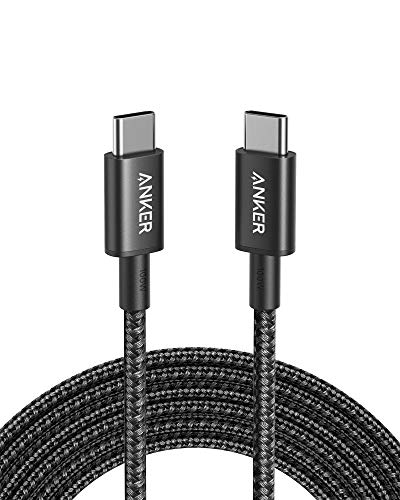
This Anker USB C to USB C Cable is a 60W, 6-foot two-pack for buyers who mainly charge phones, tablets, and other devices that do not need more than 60W through the cable. Its listing specifies Power Delivery support, 480Mbps data transfer, a reinforced nylon exterior, and a stated lifespan of up to 5,000 bends. The lower power rating can make this a sensible everyday choice if you do not need a higher ceiling for a demanding laptop. It is USB-C at both ends, does not support media display, and cannot connect directly to a USB-A charger or Lightning port.
Reasons to buy:
- Two 6-foot cables offer reach for common home and office charging spots.
- 60W Power Delivery suits many phones and tablets, subject to device and charger limits.
- Listing specifies 480Mbps data transfer and includes a hook-and-loop tie.
Reasons to avoid:
- 60W maximum may limit charging for laptops that need 100W or more.
- No display support, and both connected ports must be USB-C.
Skip it if your laptop needs more than 60W or you want to connect a monitor.
Best for Extra Reach: INIU 240W USB C to USB C Cable, [6.6ft+6.6ft]
This INIU 240W USB C to USB C Cable, [6.6ft+6.6ft] is a two-pack of long braided cables for charging spots where a short cord falls short. The published listing specifies 6.6 feet per cable, up to 240W charging, an LED indicator, and EMARK2.0. Those features make the pair worth considering for shared rooms or separate home and work setups. The listing describes USB-C data transfer but does not provide a transfer speed or state video support, so verify those details if data performance or monitor use matters. The long length can also leave extra slack on a compact desk.
Reasons to buy:
- Two 6.6-foot cables suit outlets that sit farther from a desk or bed.
- 240W maximum rating supports compatible high-power charging equipment.
- LED indicator and EMARK2.0 are listed features.
Reasons to avoid:
- Long cables can add clutter in a small work area or travel bag.
- Data speed and video output are not specified in the published product details.
Skip it if you prefer a compact cable or need confirmed monitor support.
Best Flexible 240W Single Cable: Anker Nano USB C to USB C Cable
The Anker Nano USB C to USB C Cable is a 6-foot, 240W cable for buyers who want high charging capacity in a braided design described as soft and easy to store. Anker says the cable uses 100% post-consumer recycled materials and has a bend lifespan of more than 30,000 bends. The listing also claims it can withstand 220 lb of force, but that manufacturer claim is not a reason to pull, crush, or sharply bend a cable. It does not support screen mirroring. The product information mentions several length options, so confirm the selected variant is the 6-foot version before ordering.
Reasons to buy:
- 240W rating provides charging headroom for compatible laptops and chargers.
- 6-foot braided design combines reach with a softer feel, according to the listing.
- Package includes a silicone cord organizer and a 24-month warranty.
Reasons to avoid:
- No screen mirroring, so it cannot replace a video-capable USB-C cable.
- Confirm length and color variant carefully because the listing references multiple options.
Skip it if you need video output or want a lower-capacity multi-pack.
Also Considered
The retractable charging cable guide covers a different format; among these remaining options, the Anker USB C to USB C Cable 100W assortment may suit buyers who want listed 3.3-, 6-, and 10-foot lengths, though the supplied package details also describe a 2-pack of 6-foot cables, so verify the exact variant.
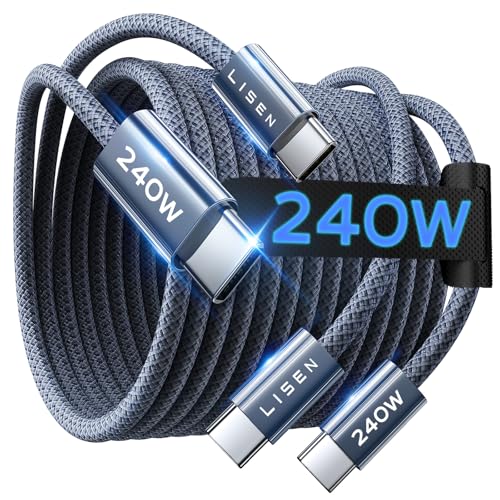
The LISEN USB C to USB C Cable is a 240W, 6.6-foot two-pack with a listed 480Mbps data speed and more than 40,000 flex cycles; its listed warranty is 12 months, shorter than the three-year INIU options here.
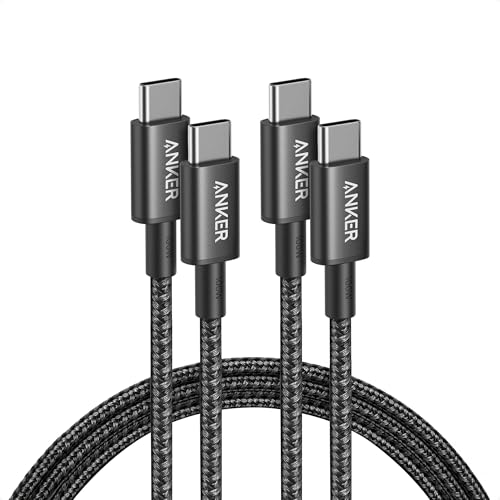
The Anker USB C to USB C Cable 240W two-pack offers two 6-foot braided cords, but its listing specifies a 10,000-bend lifespan, below the selected Prime and Nano cables’ stated bend figures.
The INIU 240W USB C to USB C Cable, [6.6ft+6.6ft] may suit buyers seeking a long two-pack with EMARK2.0. Its listed features overlap with the other INIU long-cable option, so compare the exact listing and variant before choosing.
The Anker USB C to USB C Cable 100W two-pack is an option for users who need more than 60W but not a stated 240W ceiling; it does not support video output.
How to Choose the Best USB-C to USB-C Cable
Match the cable’s power rating to your devices
Check the power needs of the device and the output of your USB-C charger before choosing a cable. The lowest-rated part of the charging setup limits the available power: a 240W cable cannot make a lower-output charger or device charge at 240W. The selected Anker 60W cable can suit phones and tablets, while the 100W and 240W options provide higher cable limits for compatible laptops. Check the manufacturer’s device requirements and cable listing rather than assuming all USB-C connections support the same wattage.
Choose cable length for your charging location
A 3.3-foot cable keeps slack down on a desk or in a small bag, while a 6- or 6.6-foot cable can reach farther from an outlet. Long cords can be more convenient beside a bed or sofa, but they take more space and may clutter a compact setup. The INIU short two-pack suits close outlets; its 6.6-foot pair is aimed at longer reach. Confirm the selected length in the product variant, especially when a listing describes multiple sizes.
Decide whether you need one cable or a pack
A two-pack can cover more than one room or leave a spare in a travel bag. A single cable may make more sense if you want one long-lasting cord and do not need duplicates. Compare the number of included cables with the locations where you charge, and do not confuse two similar listings with different lengths or ratings. The short INIU pair and the longer INIU pair address different setups even though both list 240W capacity.
Check data transfer and video support separately
Charging capacity does not tell you whether a cable can connect a monitor or transfer files quickly. The Anker 60W product lists 480Mbps data transfer but no media display; the Anker Prime listing identifies USB 2.0 and excludes screen mirroring. Other product details may omit data speed or video support, so check the exact listing when those functions matter. For monitor use, look for explicit support for the display connection standard your device needs, rather than relying on the USB-C plug shape.
Compare construction and the fine print
Braided jackets, bend-life claims, included organizers, and warranty terms can help distinguish everyday cables, but figures are manufacturer specifications, not a guarantee of how long every cable will last. Check how the cable will be stored and used: a long cord may be useful at home but awkward to carry. Also confirm connector type. These products have USB-C connectors at both ends, so they do not plug directly into a USB-A charger or an older Lightning port.
How We Compared These USB-C Cables
This comparison uses the published product specifications and descriptions, including listed power limits, cable lengths, pack quantities, materials, bend-life claims, data details, included accessories, and warranty information. We considered how those features fit different charging setups and noted where the published details do not confirm video support, data speed, or variant-specific information. Manufacturer performance and durability statements are presented as listing claims, not as independently established outcomes.
Frequently Asked Questions
Will a 240W cable send too much power to my phone?
A cable’s 240W rating is its stated maximum capacity, not power it forces into every connected device. Actual charging depends on the charger, the device, and their supported charging protocols. Use a compatible USB-C charger and check the device’s charging specifications.
Can I use these cables with a USB-A charger?
No, the products in this comparison have USB-C connectors on both ends. They need a USB-C port on the charger and device. A USB-A charger needs a cable with a USB-A connector, which is a different cable type.
Does a 240W charging cable support an external monitor?
Not necessarily. Charging wattage and video support are separate features. Several listings explicitly exclude screen mirroring or video output, and others do not specify display support. Check for explicit support for the video standard and device connection you need.
Which cable length works best for a bedside table?
Measure the distance from the outlet to where you use the device, then allow enough slack to avoid pulling at the connector. A 3.3-foot cable can keep a close setup tidy; a 6- or 6.6-foot option can reach farther. Extra length may be inconvenient if the outlet is close.
Can a 60W cable charge a laptop?
It can work with a laptop that supports charging at or below the cable’s capacity, but it may not provide the laptop’s full charging speed if the computer needs more than 60W. Confirm the laptop’s power requirements and the charger’s output. For a higher-demand laptop, consider a cable rated for the required wattage.
Will these cables work with older iPhones?
These are USB-C-to-USB-C cables. They connect directly to devices with USB-C ports, including compatible iPhone models. Older iPhones with Lightning ports need a suitable cable or adapter; verify connector compatibility before buying.



Write Your Review
No reviews yet. Be the first to share your experience!