

Standard Bluetooth audio creates delay that ruins competitive gameplay. Footsteps register late, muzzle flashes desync from sound, and positional awareness drops. Finding the best wireless earbuds for gaming requires balancing low-latency wireless transmission against battery life, voice capture, and multi-device connection demands.
This guide compares dedicated 2.4GHz wireless dongles, hybrid dual-mode connections, and wired IEM alternatives across PC, PlayStation, Switch, and mobile hardware. Match specific platform support with audio hardware priorities to find correct configuration.

Pros
- Dual-mode 2.4GHz and Bluetooth 5.4 wireless
- Low 20ms latency via LC3 codec
- Four AI-enhanced microphones for team communication
- App-supported customizable equalizer presets
Cons
- Requires companion app for firmware updates and controls
- Players requiring wired analog audio should skip
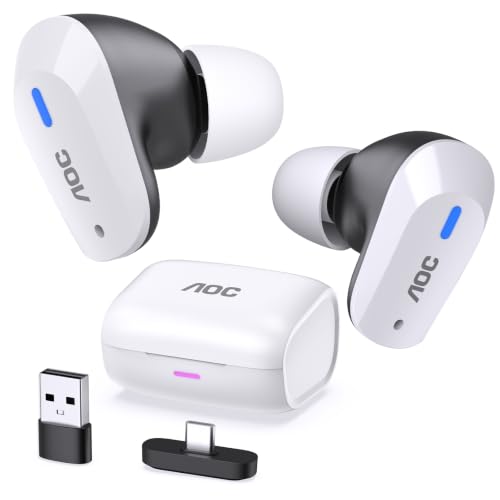
Pros
- Dual-mode 2.4GHz dongle and Bluetooth 5.3 connectivity
- Claimed 20ms low latency for synchronized game audio
- Up to 32 hours total playback with charging case
- Includes USB-C to USB-A adapter for broad compatibility
Cons
- Incompatible with Xbox series consoles
- Xbox console players should skip this model

Pros
- Dual 2.4GHz wireless and Bluetooth 5.3 connectivity
- Low 20ms latency via USB-C dongle
- Up to 32 hours total battery life
- Includes USB-C to USB-A adapter for broad compatibility
Cons
- Incompatible with Xbox consoles; Xbox users should skip

Pros
- Simultaneous 2.4 GHz and Bluetooth audio connectivity
- Bone-conduction microphones for clearer voice pickup
- Adaptive active noise cancellation adjusts automatically
- Case supports wireless and quick USB-C charging
Cons
- Maximum battery life requires disabling RGB lighting
- High-resolution audio restricted to 2.4 GHz mode
- Skip if your setup lacks compatible wireless ports

Pros
- Five-driver hybrid setup produces clear, detailed audio
- Durable stainless steel faceplate and resin housing
- Detachable cable design allows simple upgrades
- Passive noise isolation blocks up to 26dB
Cons
- Lacks built-in microphone and inline controls
- Cable appearance varies due to random shipping
- Users needing phone call functionality should skip it
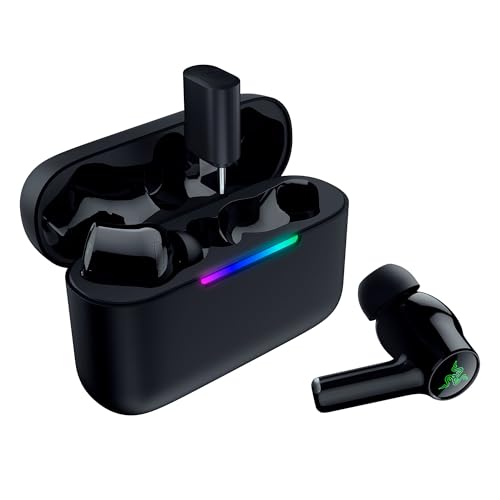
Pros
- Dual 2.4 GHz wireless and Bluetooth 6.0 connectivity
- Up to 40 hours total claimed battery life
- Hybrid active noise cancellation for distraction reduction
- Case supports passthrough charging and dongle storage
Cons
- THX Spatial Audio requires Windows 11 and Razer Synapse
- Skip if spatial surround sound is needed on consoles
Key Factors When Choosing the Best Wireless Earbuds for Gaming
Wireless Latency: Dedicated 2.4GHz Dongles vs Bluetooth
Standard Bluetooth protocols carry latency between 100ms and 200ms. High delay creates noticeable audio desync in fast-paced shooters. Dedicated 2.4GHz Type-C USB dongles reduce transmission delay to 20ms using low-complexity communication codecs. Gear like Middle Rabbit SW5 Wireless Gaming Earbuds and AOC Wireless Gaming Earbuds for PS use USB dongles to deliver rapid audio sync. Trade-off: dongles consume device ports and drain host power faster than passive Bluetooth.
Platform Compatibility and Console Restrictions
Consoles enforce strict wireless audio rules. Sony PlayStation 5 and Nintendo Switch support direct USB-C audio transmitters, whereas Xbox consoles require proprietary wireless protocols. Listed models from AOC explicitly do not support Xbox hardware. PC and mobile devices offer widest versatility, supporting USB-C dongles and Bluetooth 5.3 or 6.0 standards seamlessly. Verify exact platform compatibility tables before selecting wireless models.
Microphone Isolation and Chat Voice Clarity
Compact earbud stems position microphones far from mouth. Background keyboard clicks, fan rumble, and room chatter disrupt squad communication. Advanced solutions like ASUS ROG Cetra True Wireless SpeedNova integrate bone-conduction sensors paired with AI noise reduction to isolate vocal vibrations through jaw contact. Silicon noise-canceling mic arrays on budget sets filter steady ambient sounds. Check out picks for work calls in 6 Best Wireless Earbuds for Teams Meetings in 2026: Top Headsets Compared if microphone quality ranks as primary task requirement.
Battery Endurance and Charging Case Flexibility
2.4GHz transmission draws more battery power than standard Bluetooth. High-drain modes limit single-session runtimes to 4 to 8 hours. Units like Razer Hammerhead V3 Wireless Multi-Platform ANC combine 10-hour earbud limits with 30-hour case reserves and passthrough charging. Gamers requiring zero battery downtime often alternate with wired hybrid options. Compare active playtime ratings against expected tournament or gaming session lengths.
Acoustic Drivers and Spatial Audio Reproduction
Pinpointing directional cues depends on driver configuration and acoustic tuning. Single dynamic drivers provide punchy low-end explosions, while multi-driver arrays separate frequency bands. The wired Linsoul KZ ZS10 Pro, 4BA+1DD 5 Driver in Ear deploys four balanced armatures alongside one dynamic driver to maintain high-frequency resolution above 40kHz without signal processing lag. Digital spatial processing like THX Spatial Audio on Razer units expands soundstage width for PC games.
How We Compared These Products
This comparison relies on technical specification analysis, published manufacturer hardware data, and documented customer feedback patterns. We assessed connection protocols, latency claims, microphone configurations, driver architectures, and platform compatibility constraints across PC, console, and mobile ecosystems. We did not conduct physical lab benchmarks or hands-on hardware testing for this roundup.
Which Option Fits Your Needs?
Competitive PC and handheld console players: ASUS ROG Cetra True Wireless SpeedNova offers 24-bit 96kHz audio via 2.4GHz SpeedNova link, bone-conduction voice pickup, adaptive ANC, and hybrid multipoint switching. Pros include comprehensive platform support across PC, PS5, Switch, and ROG Ally, plus fast wireless case charging. Con: higher investment tier. Who should skip it: gamers on tight budgets or Xbox owners needing native console pairing.
Cross-platform mobile and desktop gamers: Razer Hammerhead V3 Wireless Multi-Platform ANC provides balanced audio flexibility with Bluetooth 6.0, 2.4GHz Razer HyperSpeed dongle, IPX4 splash resistance, and THX Spatial Audio. Pros: quick touch controls, status LED indicator, and compact charging case with passthrough support. Con: spatial surround virtualization restricted to Windows 11 PC environment. Who should skip it: console gamers wanting simple plug-and-play surround configuration without desktop software dependencies.
Budget-conscious PlayStation and Switch gamers: Middle Rabbit SW5 Wireless Gaming Earbuds supply 20ms ultra-low latency connection via USB-C transmitter, dual-device simultaneous switching, and companion app EQ controls. Pros include solid 20ms response rate and dual-mode Bluetooth 5.4 versatility. Con: plastic build lacks active noise cancellation. Who should skip it: users gaming in noisy environments needing hardware-based active noise cancellation.
Wired latency purists and audiophiles: Linsoul KZ ZS10 Pro, 4BA+1DD 5 Driver in Ear removes battery and wireless lag limitations via physical 3.5mm connection. Five-driver hybrid array yields clear separation across bass and treble ranges. Pros: zero transmission lag, passive 26dB noise isolation, no recharging needed. Con: wired cable restricts physical movement and lacks integrated microphone on base version. Who should skip it: players demanding wireless convenience or integrated voice chat out of box.
Frequently Asked Questions
Can Bluetooth earbuds match 2.4GHz dongle latency for fast gaming?
Standard Bluetooth connections struggle with latency between 100ms and 200ms, causing audible lag in action games. Dedicated 2.4GHz USB transmitters lower transmission latency down to approximately 20ms, ensuring sound effects align with on-screen visual cues.
Do wireless gaming earbuds work with Xbox Series consoles?
Most standard 2.4GHz Type-C USB dongles do not support Xbox Series X and S consoles because Microsoft requires specialized security chip protocols. Units such as AOC and Middle Rabbit earbuds specify lack of Xbox compatibility. Verify console protocol documentation prior to purchasing.
How does hybrid multipoint benefit gamers?
Hybrid multipoint maintains simultaneous connections across 2.4GHz wireless dongle and Bluetooth. Gamers can hear game sound from console or PC while taking incoming phone calls or mobile notifications without repairing or toggling connections.
Are gaming earbuds comfortable for small ear canals?
Comfort depends on acoustic nozzle diameter and silicone tip sizing. Earbuds with ergonomic shells rest securely, though extended sessions can cause ear fatigue. Readers seeking compact housings can review best wireless earbuds for small ears for size-specific guidance.
Can I use gaming earbuds for daily gym workouts?
Only earbuds with certified ingress ratings, such as IPX4 on Razer Hammerhead V3, resist sweat and light rain. Many specialized gaming earbuds lack water protection ratings. Readers needing workout audio should evaluate dedicated sports options in best wireless earbuds for working out.
Why choose wired in-ear monitors over wireless gaming earbuds?
Wired in-ear monitors eliminate wireless signal dropouts, compressional audio artifacts, and battery degradation. Hybrid driver designs split acoustic reproduction across specialized drivers for precise positional awareness without charging interruptions.


Write Your Review
No reviews yet. Be the first to share your experience!